Client Interface Board appears as a separate box on your screen displaying key client information
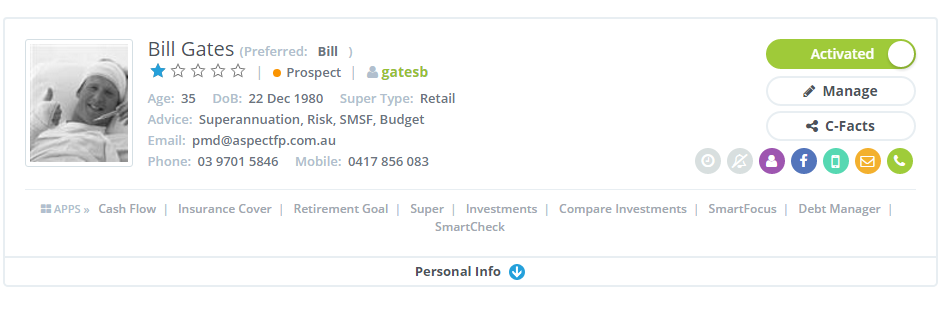
Key functions here are;
- Active- De-activated client status
- Instant manage client files
- C-Facts editing (Your Fact Finder)
- Track incoming/outgoing phone calls
- Track & send incoming/outgoing emails
- Track & send outgoing SMS messages
- View latest client Facebook status
- Toggle between partner files
- Switch on and off client instant notifications
- Switch on and off time billing tracker
- View client status - Prospect/Client/Deactivated client
- View personal contact details, preferred contact periods and method
- Assign internal support staff/adviser
- Instant view across all assigned advice modules
0 Comments