To create a new QuickTEXT you have three options.
Option 1. is via your Dashboard using the QuickTEXt icon.
Option 2. is via the Apps icon using the Quicktext icon.
Option 3. is via SmartSOA generator.
This how to is for using QuickTEXT via SmartSOA.
Step One.
Click on create an SOA.
Here you will see a window that reflects MS Word
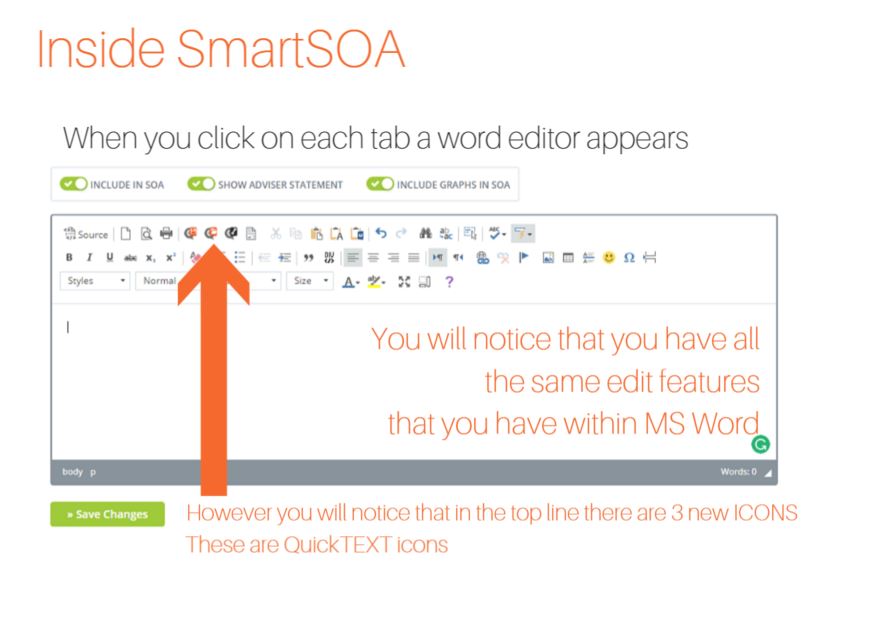
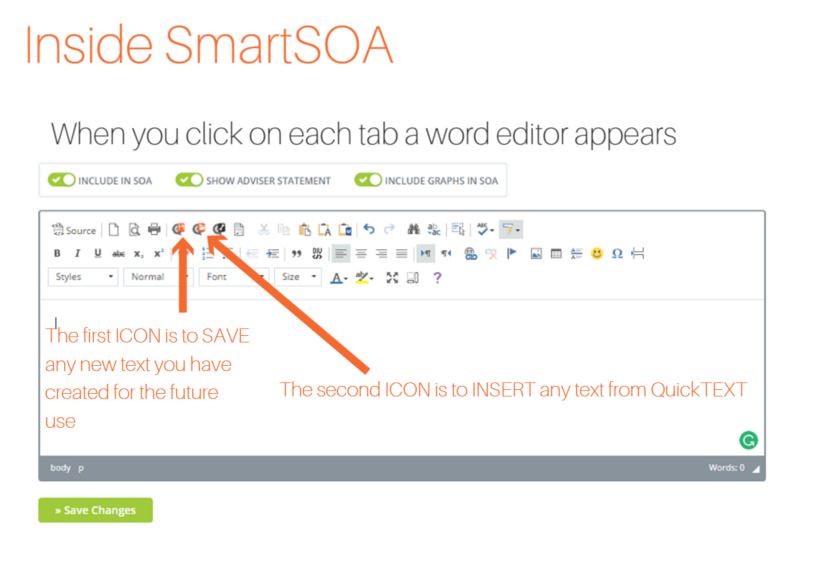
When you click on either of these ICONS you are ready to;
A) Create your own QuickTEXT and -
B) Share or input stored compliance or pre-authored QuickText
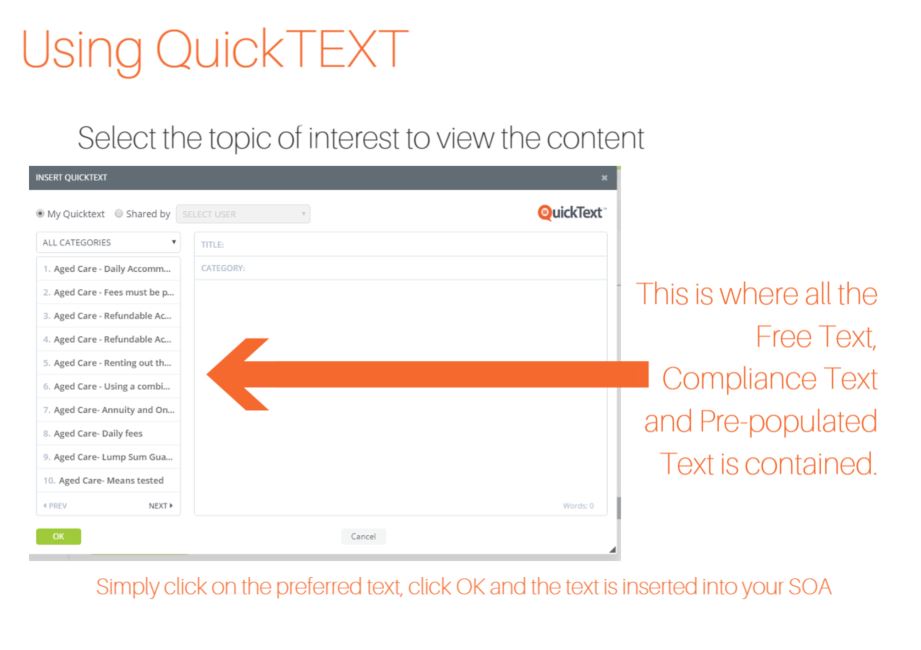
To insert the text you want simply click on the topic

0 Comments