Before the system can calculate the Retirement Goal of your client you need to ensure you have the following information set-up so that the calculator can work.
Within the Super Fund Tab
- Super Fund Details including breakdown of Investments/Wrap/Portfolio
- Account Balance of funds entered
- Re-balancing date of fund (If applicable)
- If you are running a model portfolio make sure you have completed that section
- Select a forecast rate for the calculations - you have a wide range of options to chose covering Published Returns, Risk Profile, Customized Return
- You have the option to add any support notes to this section if you wish.
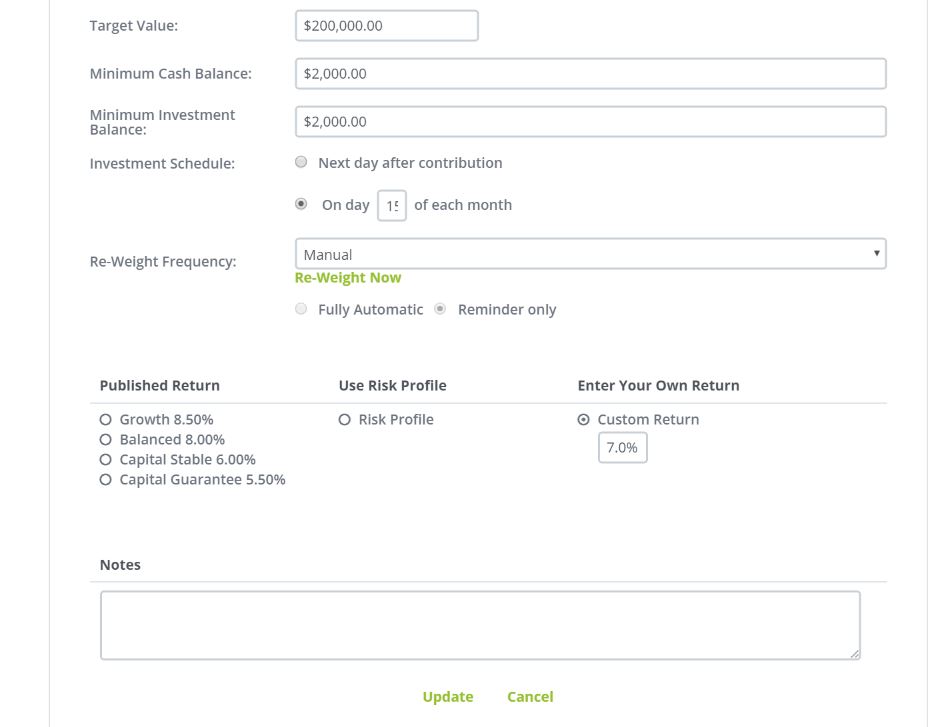
Once you have correct set-up your clients Super Fund the information will be automatically forwarded to the Retirement Goal for calculating.
Next Click on Retirement Goal Tab
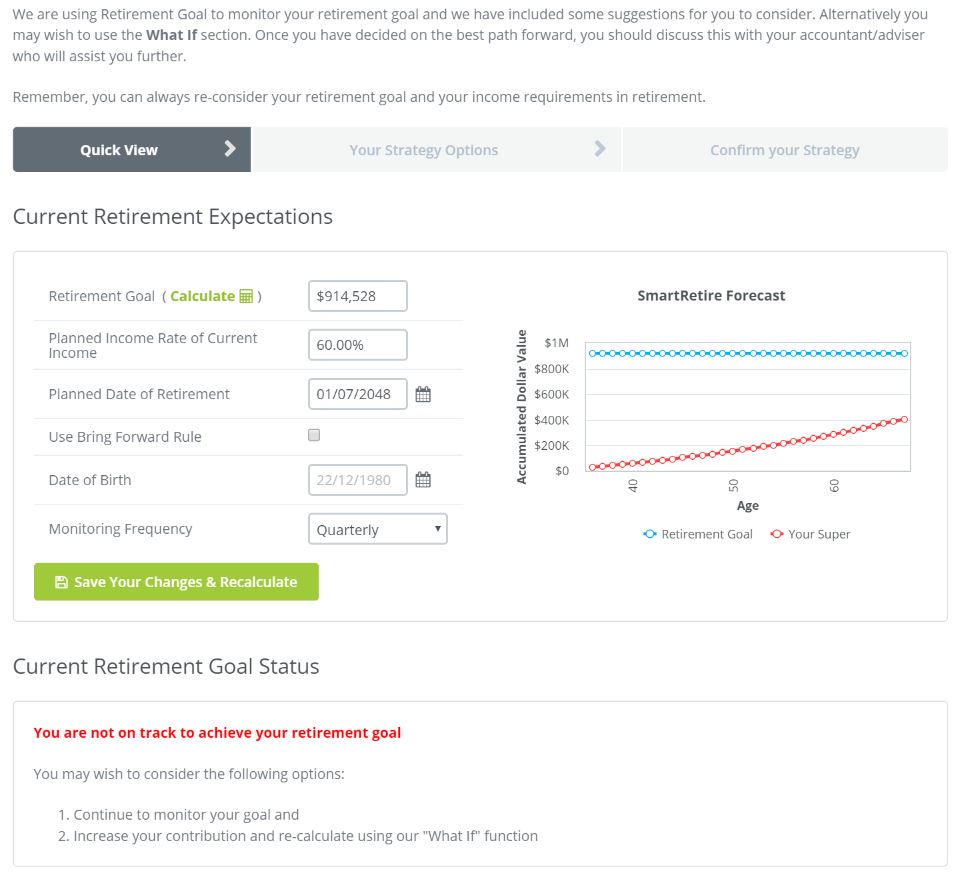
Here you will see a breakdown of your clients position in relation to their Retirement Goal.
If you have not yet created a Goal or wish to EDIT the current Goal click on the green Calculate ICON
When you do this you will see a new screen pop up with a series of questions for you to apply to your clients position.
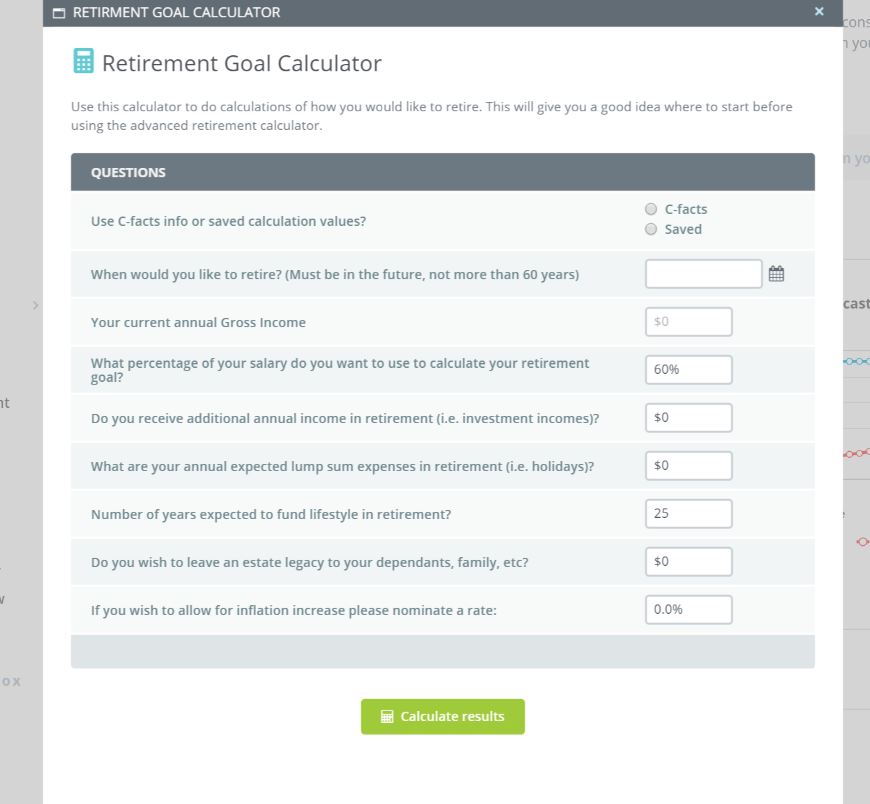
You have the option to extract this data directly from your Fact Finder (via C-Facts) or any saved data within your stored Fact Finder.
Once you have completed the fields or called up your data the system will then calculate the required funds that the client will need and forward this information into the system.
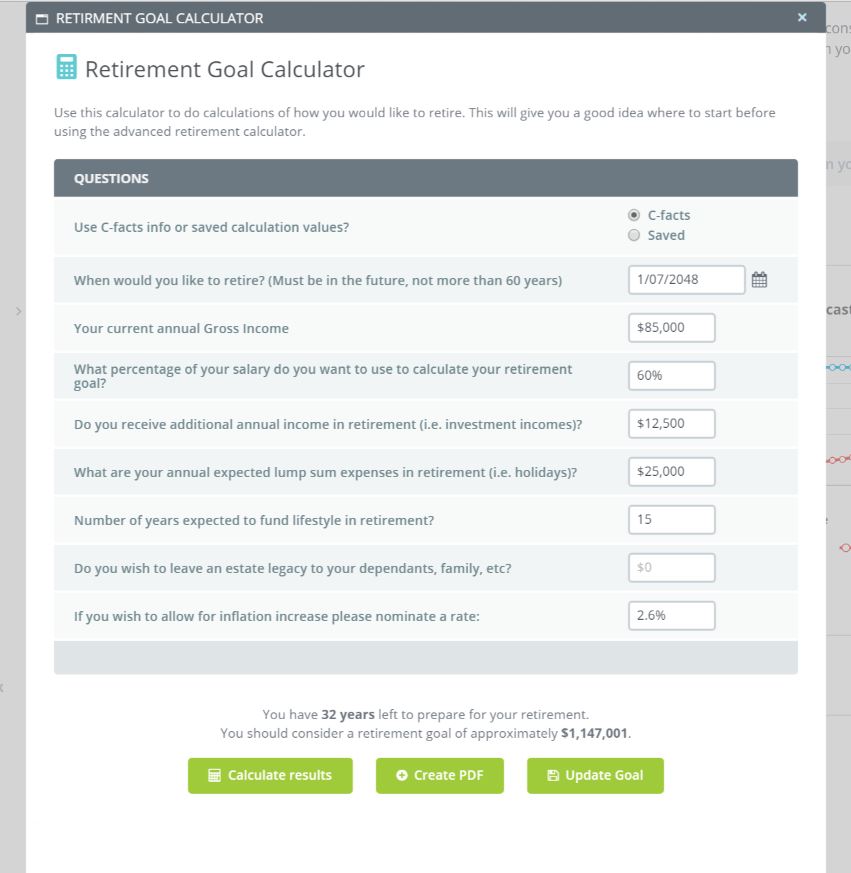
You then have three options as listed above with the most common "Update Goal"
- Once the system gets this data it then performs a series of calculations looking at the probability of reaching the retirement goal
- Contributions to date (All types)
- Cost of Living of the client for consideration of new funds
- Calculation of required level of contributions to reach the goal based on the selected forecast model.
The system then provides a breakdown of strategy options
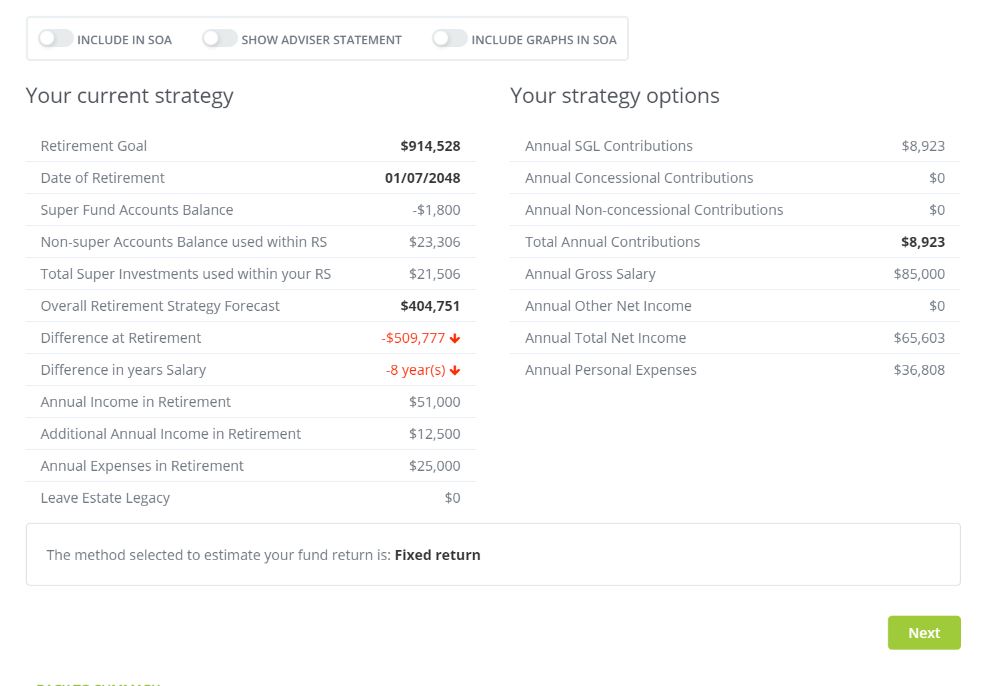
The view the full strategy option you click on NEXT
NOTE: The system will consider NON-SUPER Investments as part of an overall strategy option
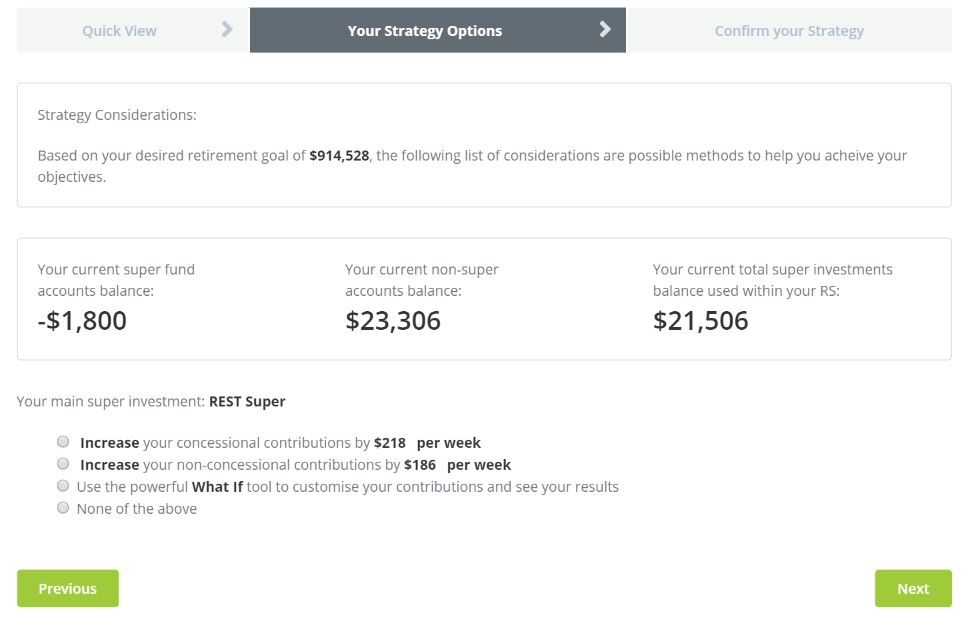
You can OVERWRITE the automated strategy options by clicking on the 'What if' button'.
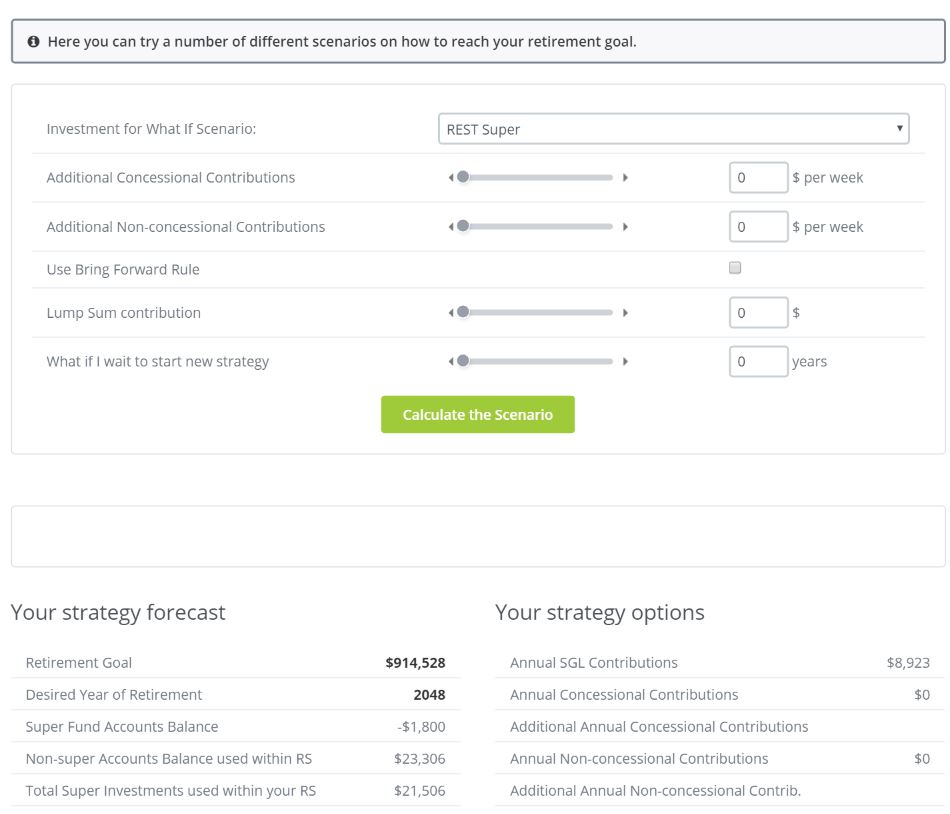
Once you have selected your strategy click NEXT to confirm your actions.
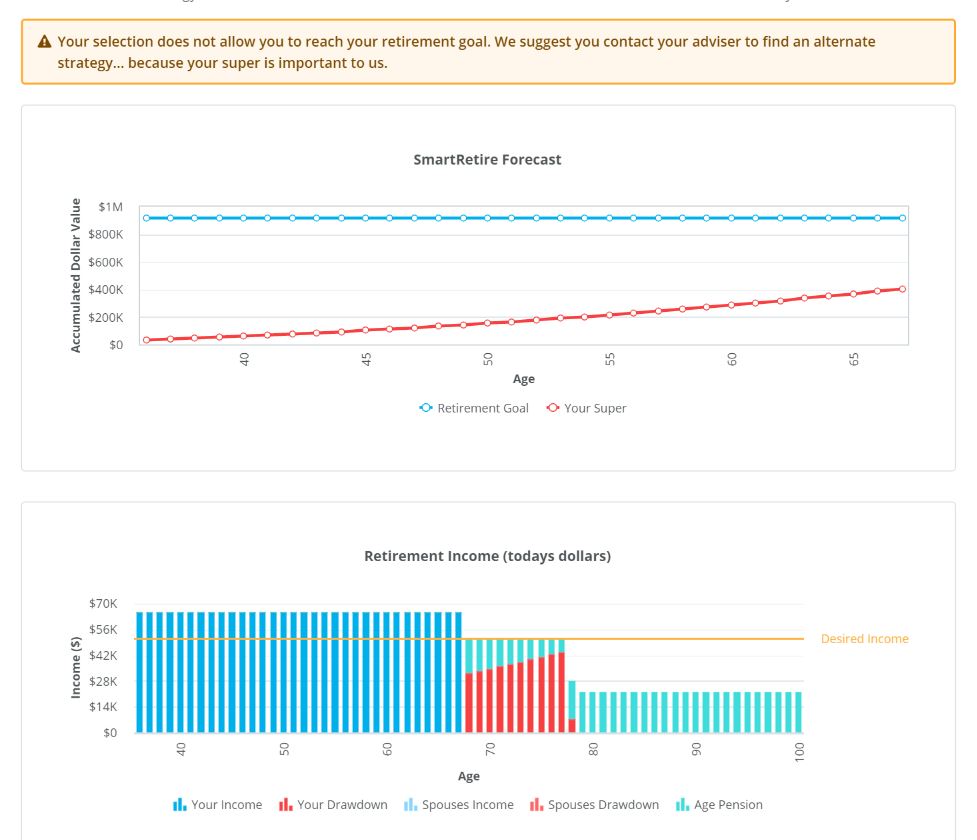
The system will then confirm the actions and calculate the funds as an income in a Post-retirement position.
0 Comments