Within the system you have the ability to manage your prospect pipeline based on a number of interactions you hold.
You will notice that on your Dashboard you have a TAB called Prospects.
This Tab allows both the Compliance, Practice Manager, Adviser, BDM, Support staff to view the pipeline and position of all the prospects within that Adviser practice.
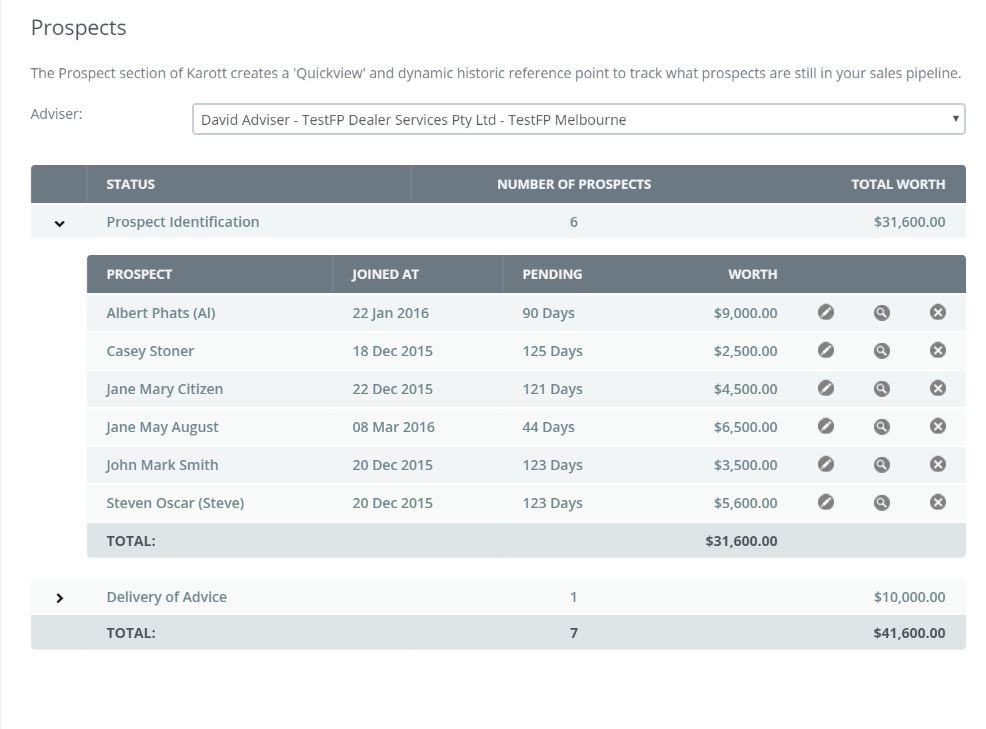
The basic set-up is
- Prospect identification.
- Discovery stage (fact finder)
- Recommendation & Implementation state
- SOA presentation
You will also notice that you can assign
- the potential value of the client
- First meeting date
- Pending (time duration)
At any stage you can quickly access the clients file to drill down on the position of the file.
Note: The subject headings are customizable as part of your the AFSL
0 Comments