To Add/Edit the SGL amount for a client simply go to the Income section of the Cashflow App.
You can go directly via the Cash Flow App or the Accumulation Goal App, then select the Income Tab to take you direct to your clients income details.
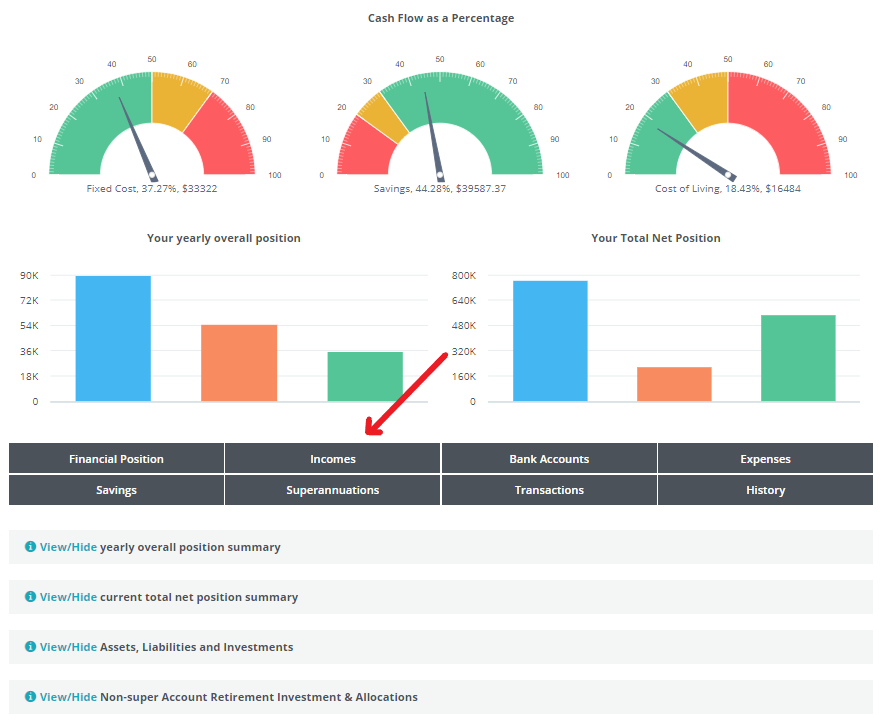
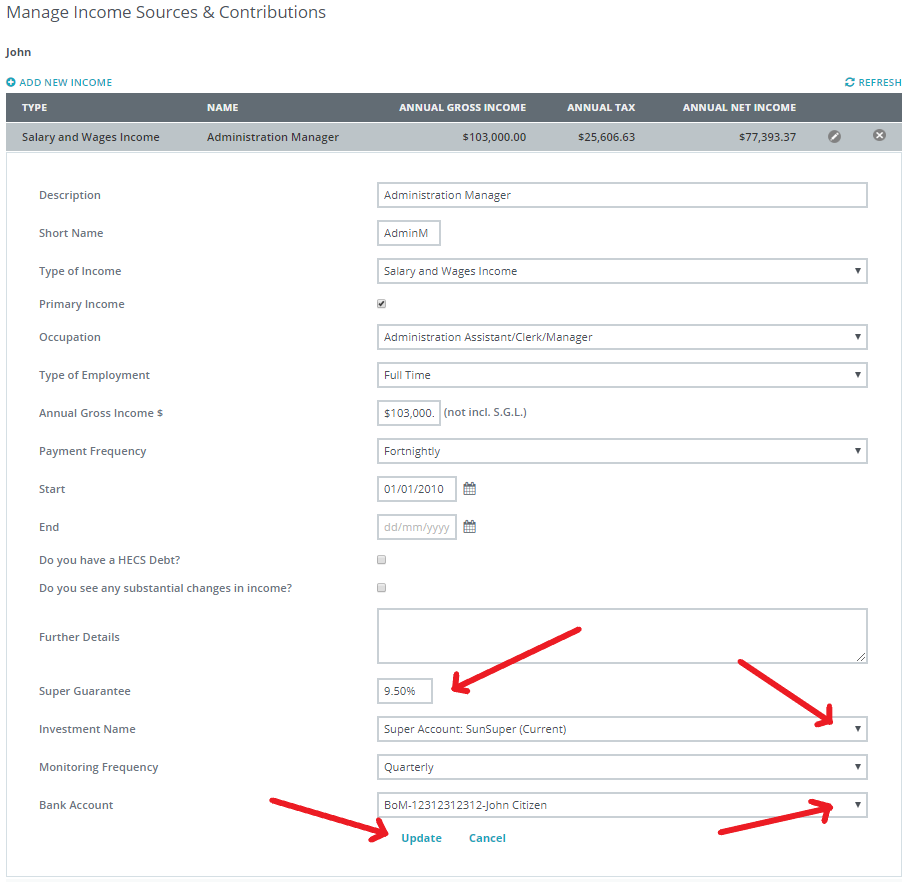
When you click on the Incomes tab it will take you to the full income details of your client and at the bottom of the screen you will see a question relating to SGL amount - this is where you advise the system of the percentage you wish to apply to your client.
This amount is not set and can be any percentage that your client may be receiving.
When the SGL percentage is entered, select from the drop down list which super fund the income is linked to and select which bank account the income is paid to.
When you have entered all info, select Update to save the details.
Please note; You need to add the clients bank account(s) before completing this function.
0 Comments