Within the Hero360 client file is the ability to store and share strategy notes for a client in a simple click and send fashion.
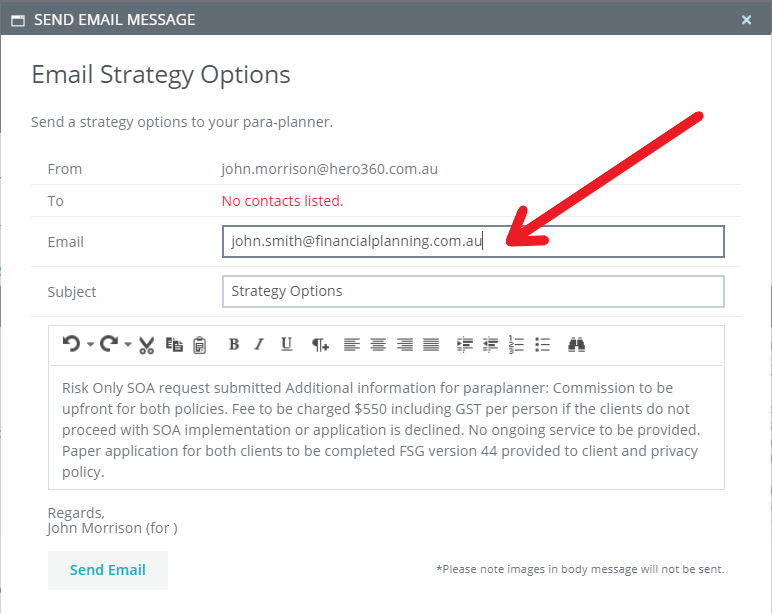
These strategy notes or ideas can be sent to any nominated person in your external contact directory or by manually entering an email address.
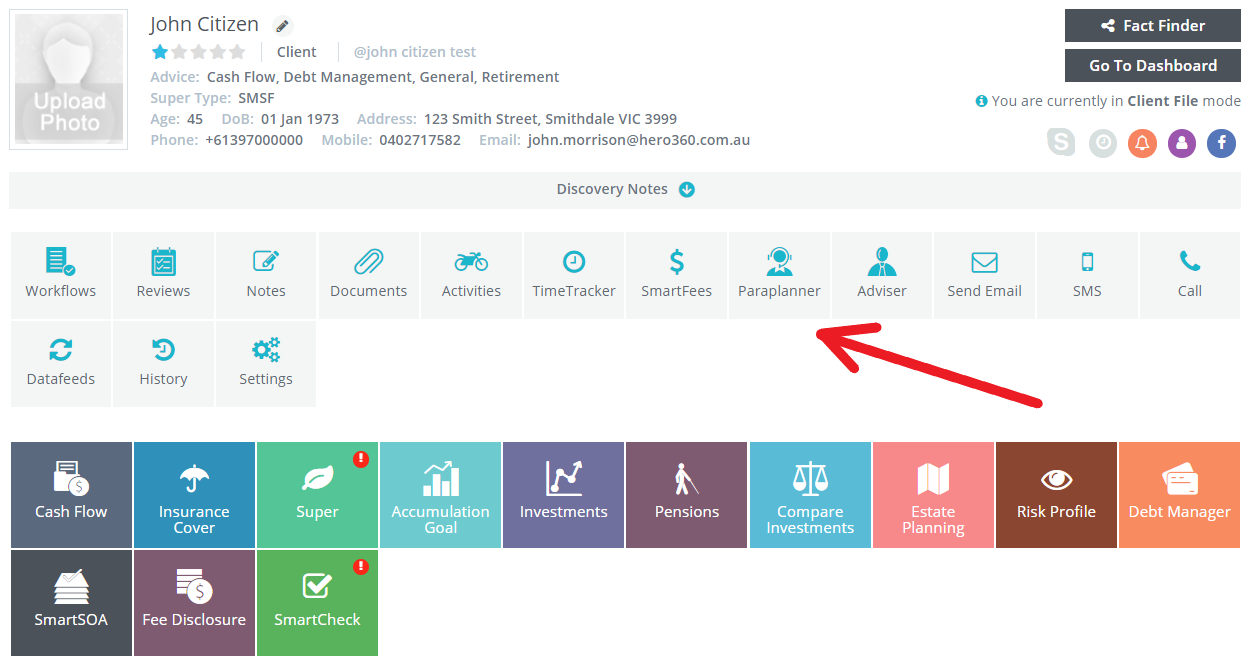
To create your strategy note or view existing strategy notes click on the Paraplanning Tab on your client file.
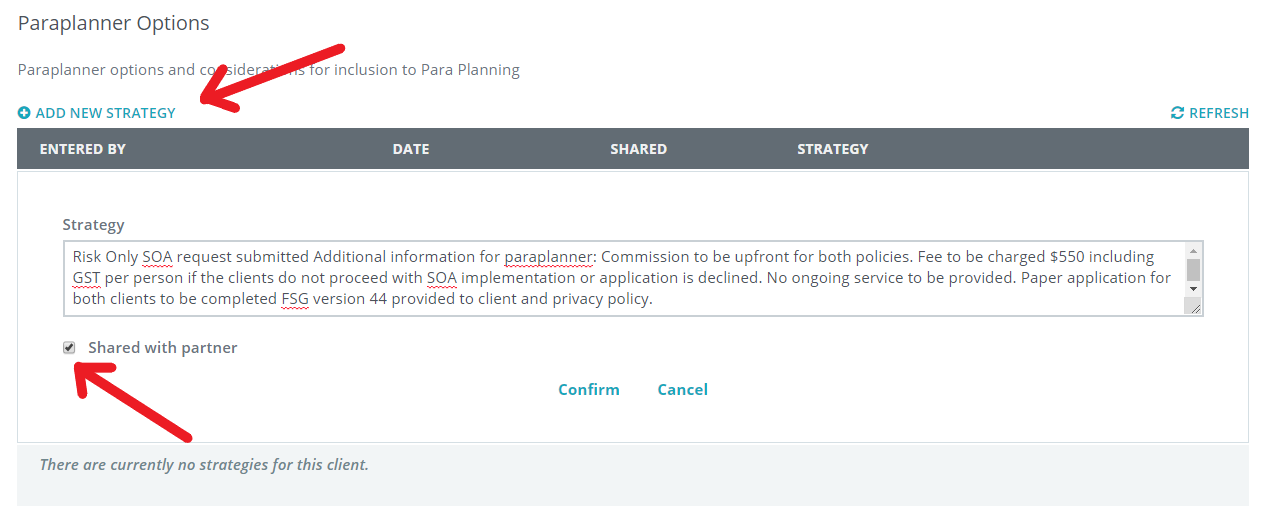
To add a new strategy note click on the "Add New Strategy", then enter your text in the Strategy notes field. If you wish to share these notes with your clients partner, select the "Shared with partner" box. Select confirm to save the new strategy note.
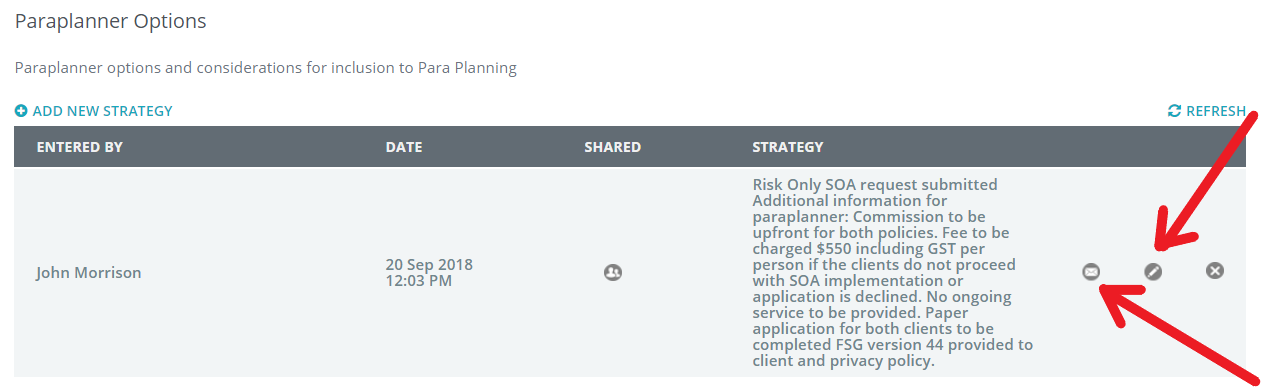
You have unlimited usage here and can also edit the content by clicking on the edit ICON and by clicking on the email ICON send this file note to your external contact.
0 Comments