On your Dashboard you will have an Open Time Tracker Tab, this Tab is for the management of Open Files and the Time Tracking of these files.
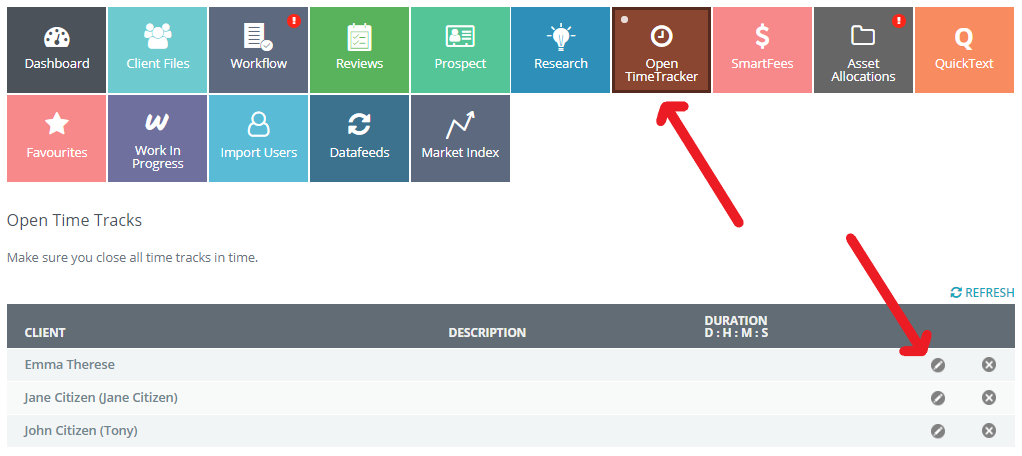
When you click on the "Open TimeTracker" Tab you will get a view of any files that are open and for the Fee for Service Practice, the duration of the Billing cycle for those files, together with assigned task position.
To edit any time tracking record simply click on the edit pencil for the relevant record and add a description, then adjust the date and time stamp if required and select Update to save.
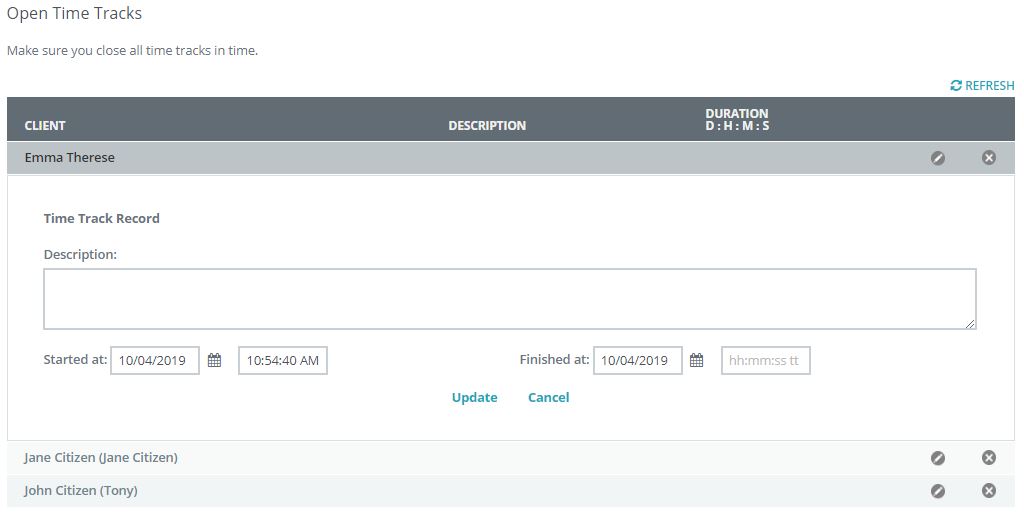
For Non-Fee for Service Practice you will still see all open files and duration period with assigned task positions.
This Tab primary focus is to ensure you are made aware of any open files that may need to be closed.

0 Comments