The first time you gain access to the system you would have already received a User Name and Password - these are encrypted items.
These two items are YOURS only and once you login we suggest that you change the Password to one that only you know.
Your first view is the Dashboard view, this is like your 'Home' page and is where you will access all your client files and advice opportunities.
Depending on your access level which would have been Pre-selected prior to gaining access you will also view all the Practice actions and Support staff actions.
Change your Password
This is the first thing we recommend you do.
To do this from your Dashboard view click on 'My Details' and the page will now reflect the following;
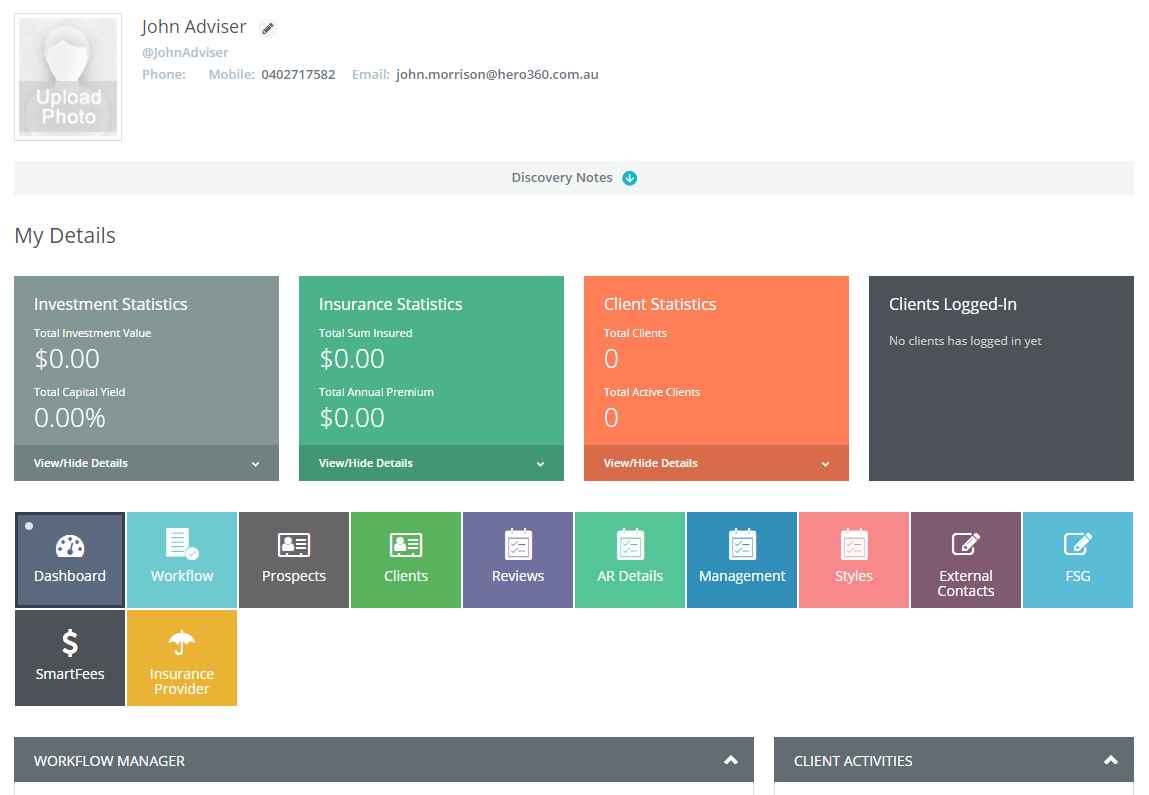
Across the first row of the page you will see a series of Tabs starting with Dashboard and ending in Insurance Provider - click on the Management Tab.
You will now see the following;
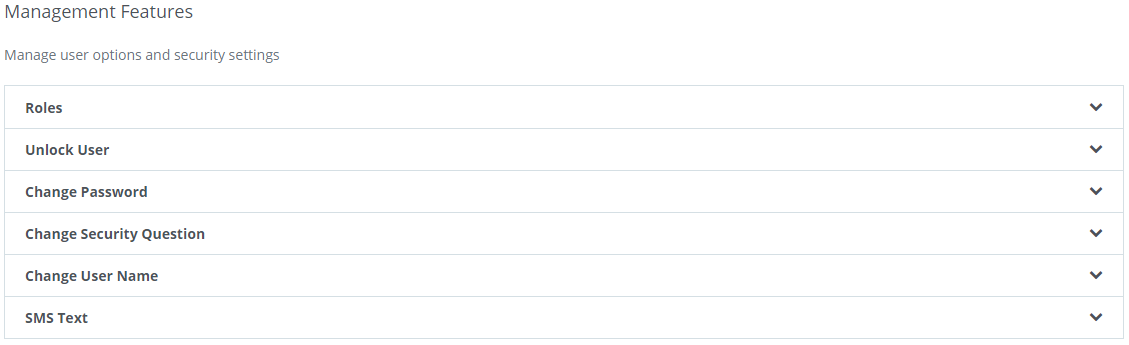
Now click on the 'Change Password' page
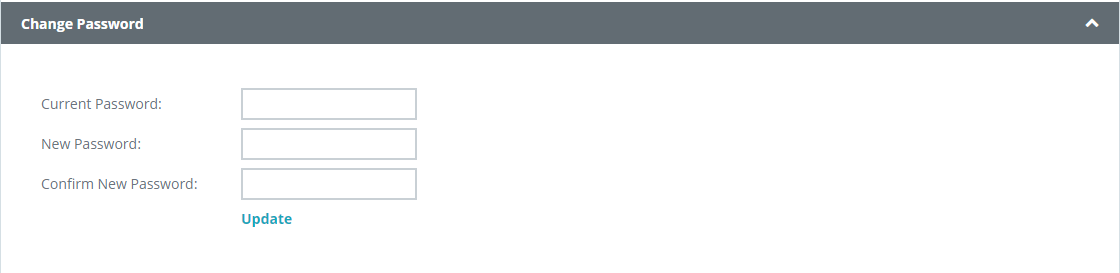
Enter your Current password, then your New Password, confirm the New Password and click on the blue Update button.
You have now changed your password.
0 Comments