All information relating to Insurance Product type, provider, cover level, premium amount, inside or outside of super plus key features and benefits can be obtained within your Fact Finder however you have full edit options available to you by clicking on the Insurance Tab.

You will notice the EDIT button, this is the first ICON displayed next to Key Policy, this will open the client insurance file for that type of cover.
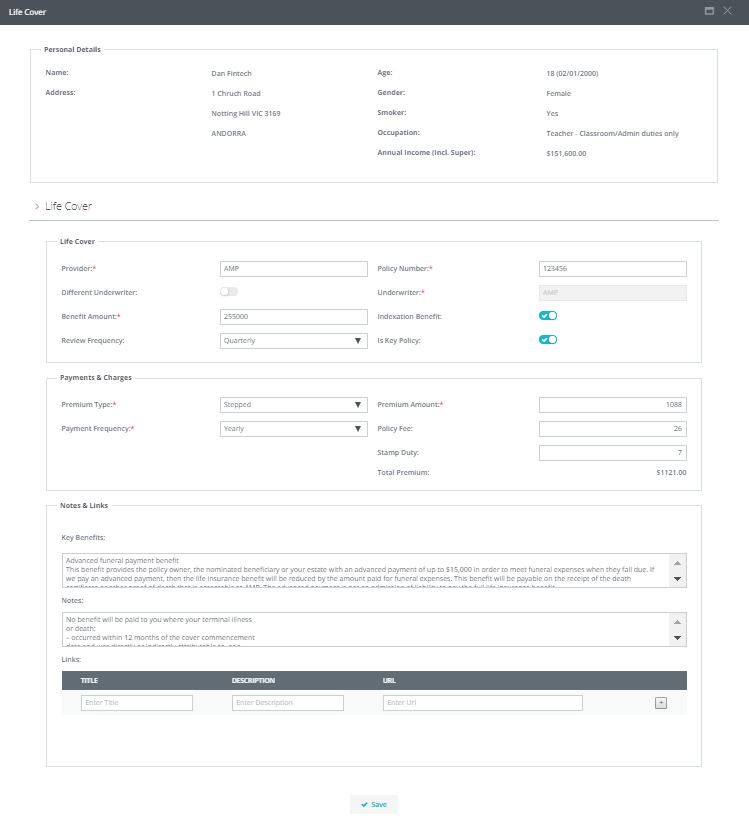
You will notice that two fields can be displayed in the summary screen
- Key Benefits- this is to confirm to the client what the policy provides
- PDS URL- this is provided so the client may access or view the PDS at anytime
In order for these items to be disclosed on the summary screen you have to select - 'Is Key Policy' flag.
0 Comments