To process of adding a super fund is as follows;
Step One- Create the Superfund/Wrap Account
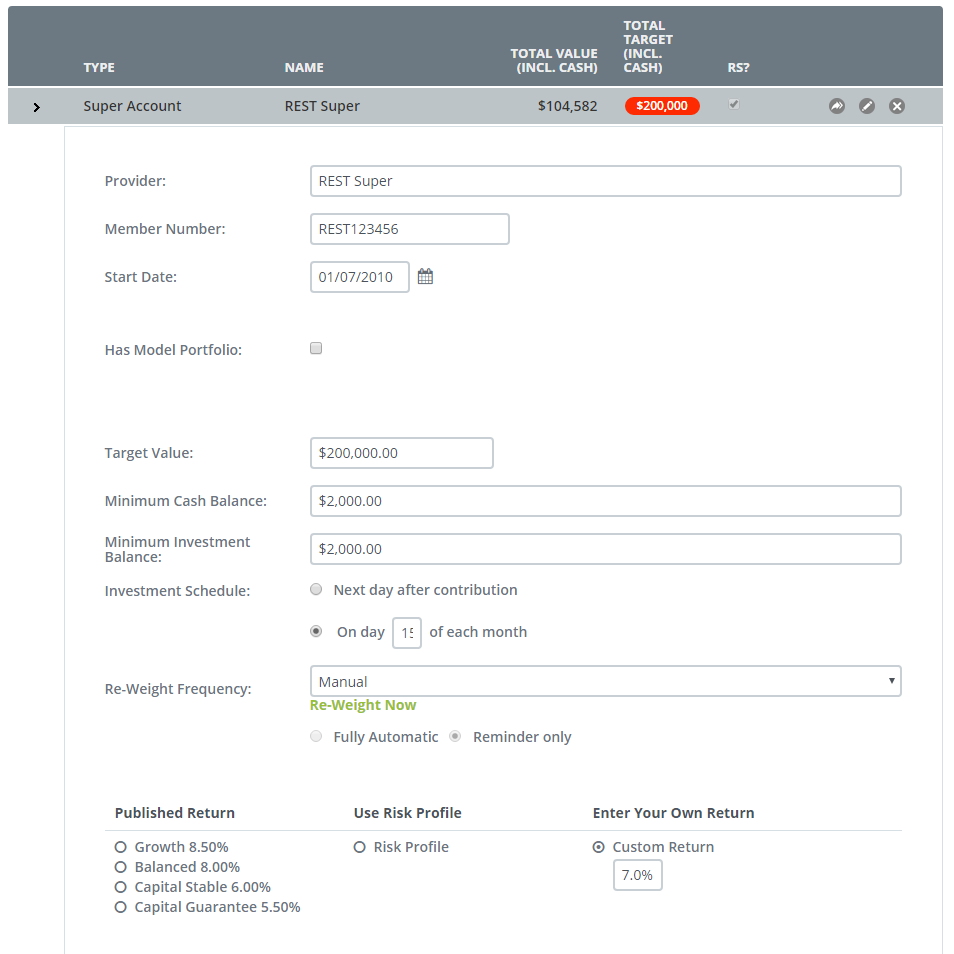
Within these fields you have the option to determine the fund structure including when the fund investment schedule is performed for non-auto reporting funds.
You can pre-select the forecast returns of the fund based on;
- Published Returns
- Use Risk Profile
- Custom return
NOTE: In order to forecast and interact with SmartRetire you must provide a selected forecast rate.
You also have the option of creating a model portfolio within this fund
Top do this tick on the 'Has model Portfolio' flag
When you do this you should see the following screen expansion
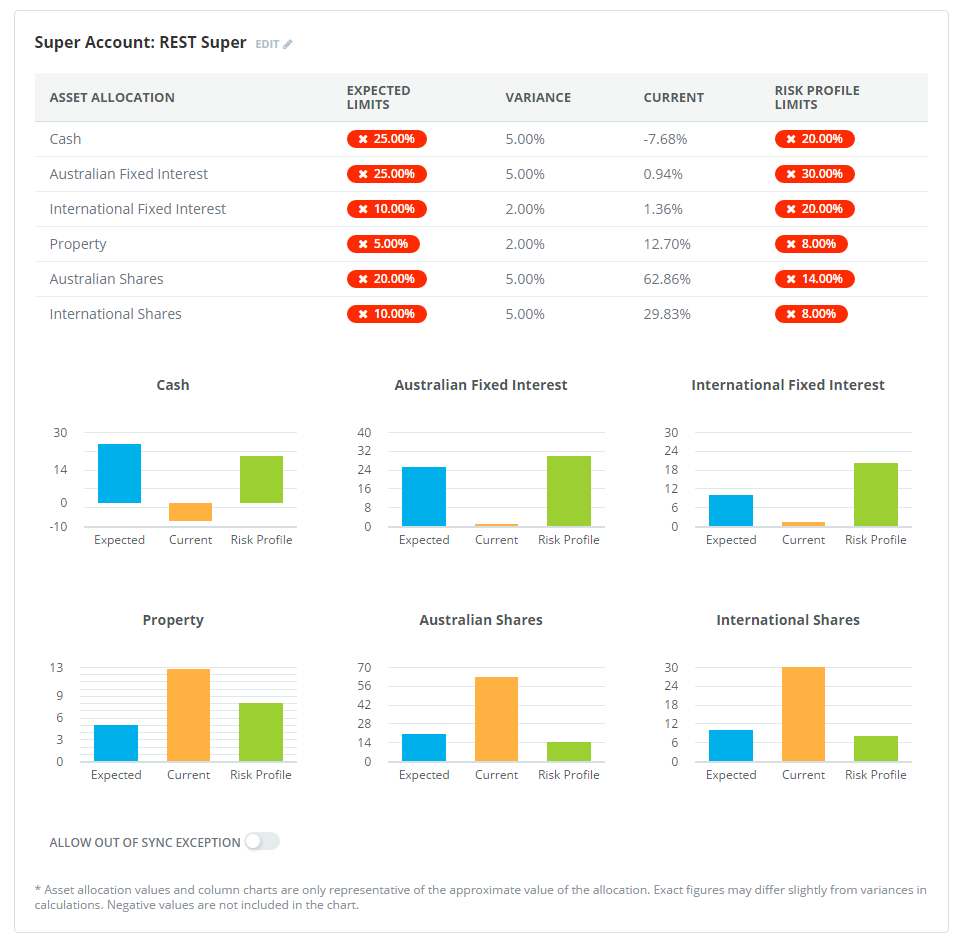
You also have the option of setting a Target Account Value option for the fund
0 Comments