The system allows for the remote auditing of ALL the Insurance Providers that an AR has;
- Placed business with
- Currently held by the client
- Previously held by the client.
- Life Insurance
- TPD Cover
- Income Protection
- Trauma Cover
To view or conduct an audit on a client simply;
From the Dashboard
- Click on the Insurance Cover ICON on the left of the page under 'My Apps'
- Click on Summary button
- You will now see a graph of ALL providers based on the topics addressed above.
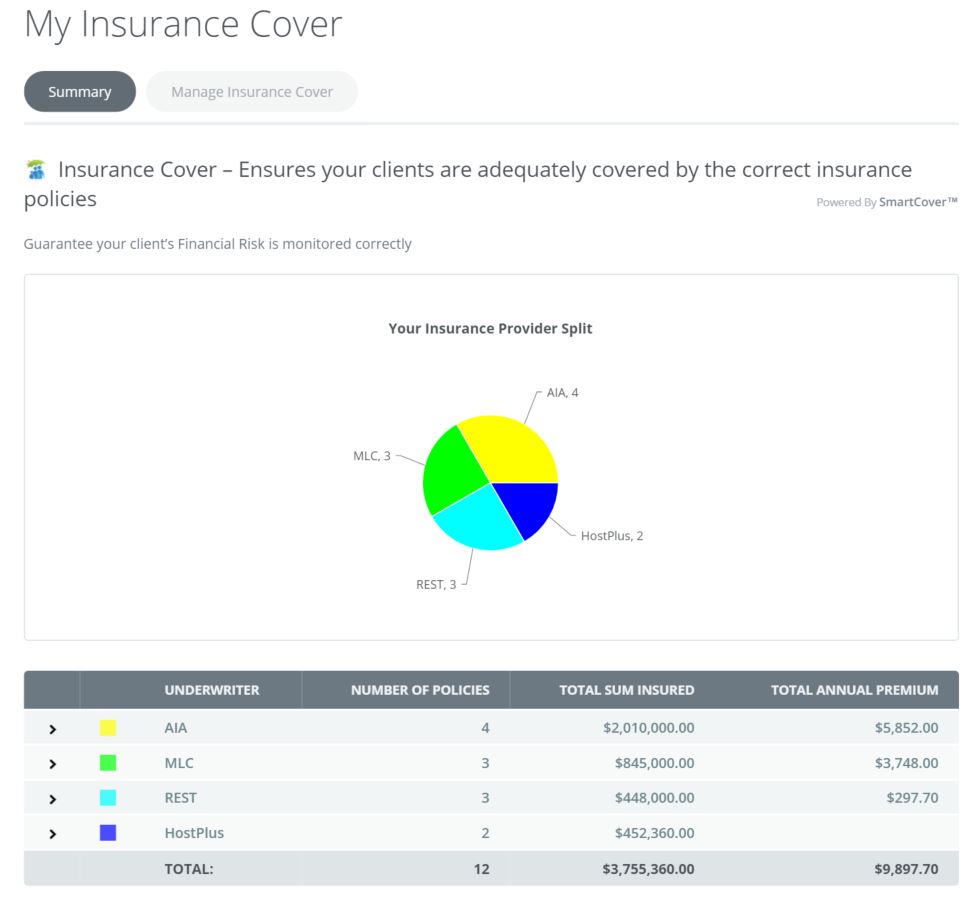
You now can drill down by provider name. What you will see is all types of cover that has been or is provided by the selected provider.
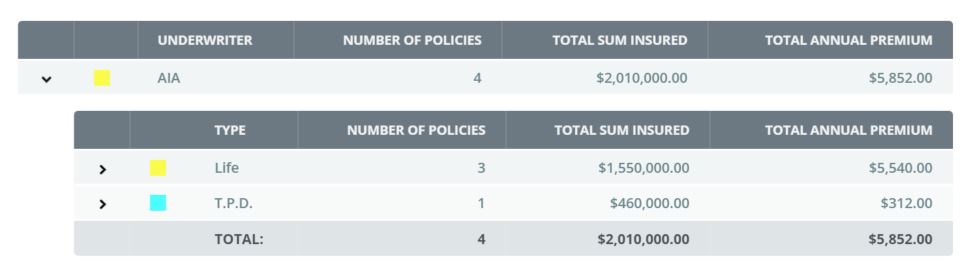
You now can continue to drill down based on TYPE of cover which instantly displays the Name, Policy Number, Sum Insured and Annual Premium.
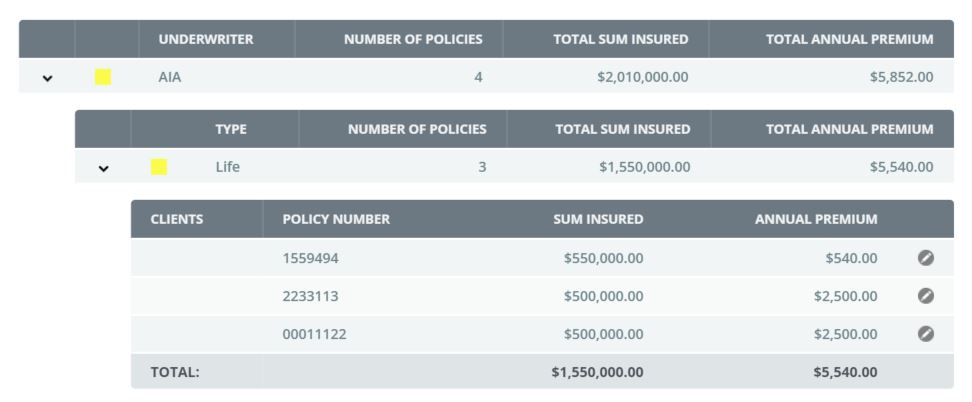
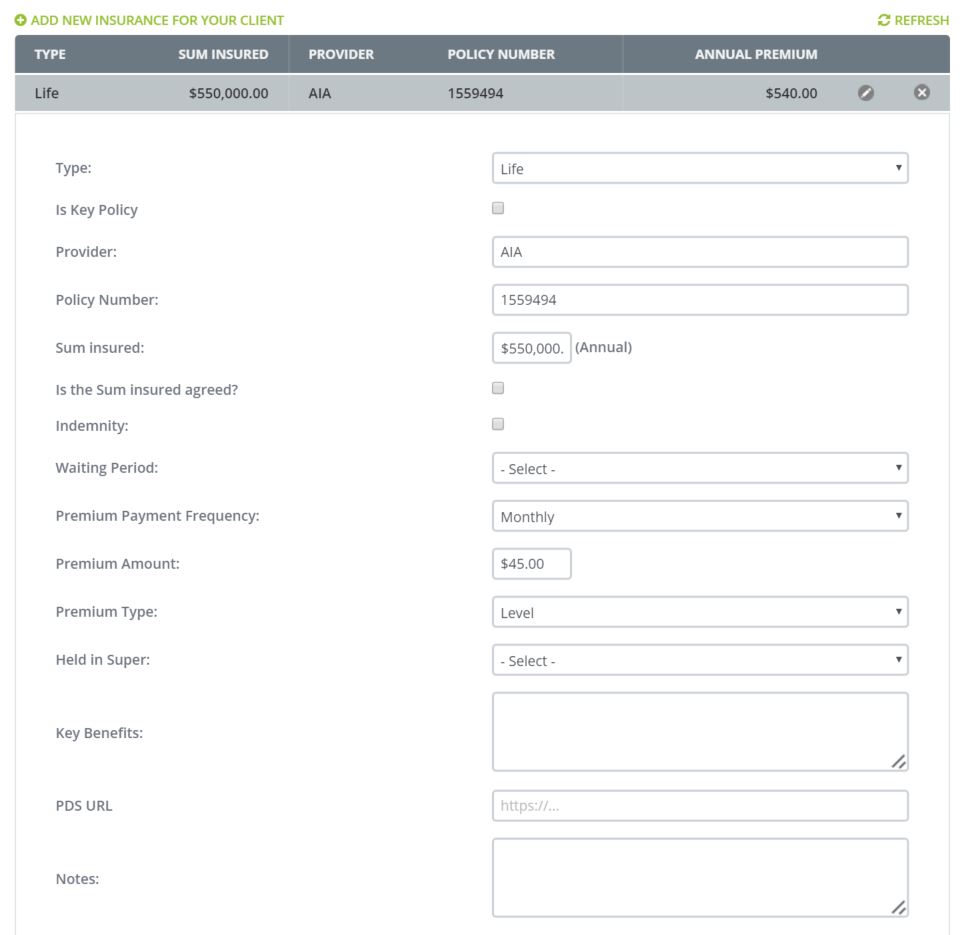
You then have to option of clicking on the EDIT ICON whereby you will be taken to the complete file of the client.
0 Comments