The system is designed to completely manage your Fee Disclosure Statements.
This part of the system is referred to as Fee Disclosure.
The app designed to highlight your client value proposition by creating both the Yearly Fee Disclosure Statement and Opt-in requirements.
Fee Disclosure is designed to assist you in managing your relationship with your clients, an essential part of any advice practice.
Within this section you have a range of fully customisable fields to design your message to your clients.
Simply design:
- Create and write your Fee Disclosure Statement for your client
- Elect to include your clients objectives and goals that you have been working towards
- Create your client value proposition
- Service Fees and Charges
- Opt-in requirements
To set up your FDS service click on the Fee Disclosure App within the 'My Apps' section on the webpage.
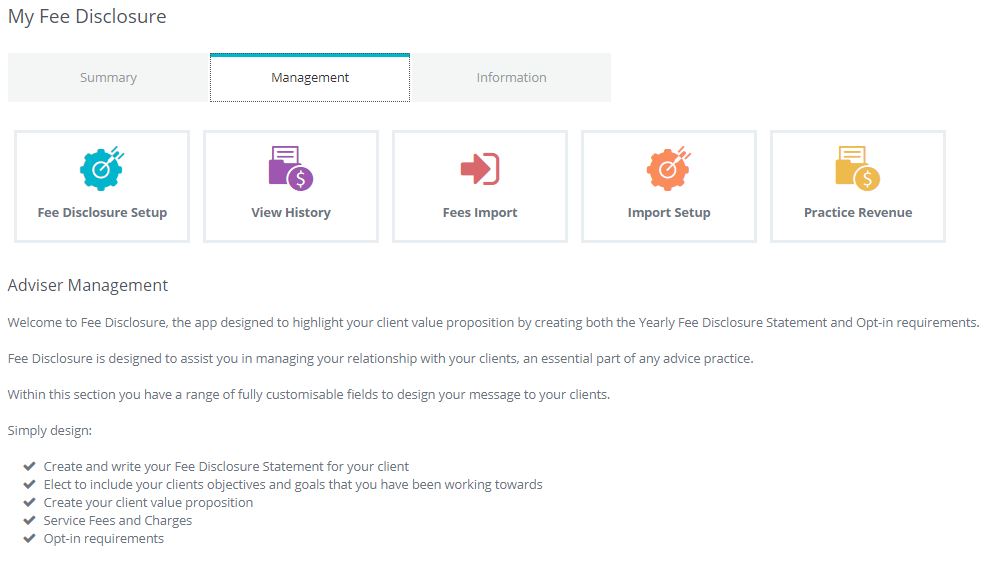
Click on Fee Disclosure Setup
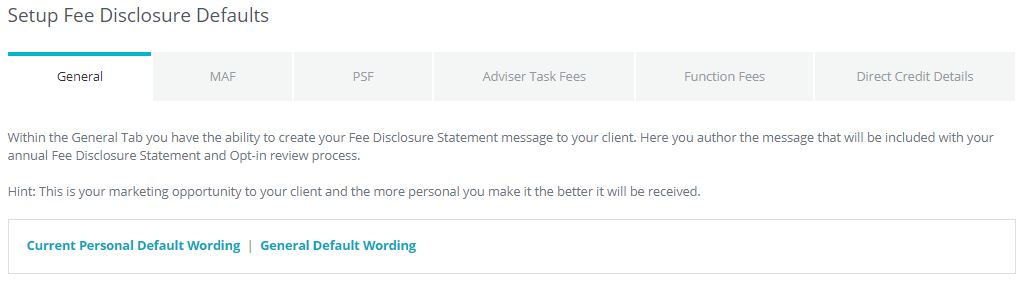
You will see that you have a range of options now available to you.
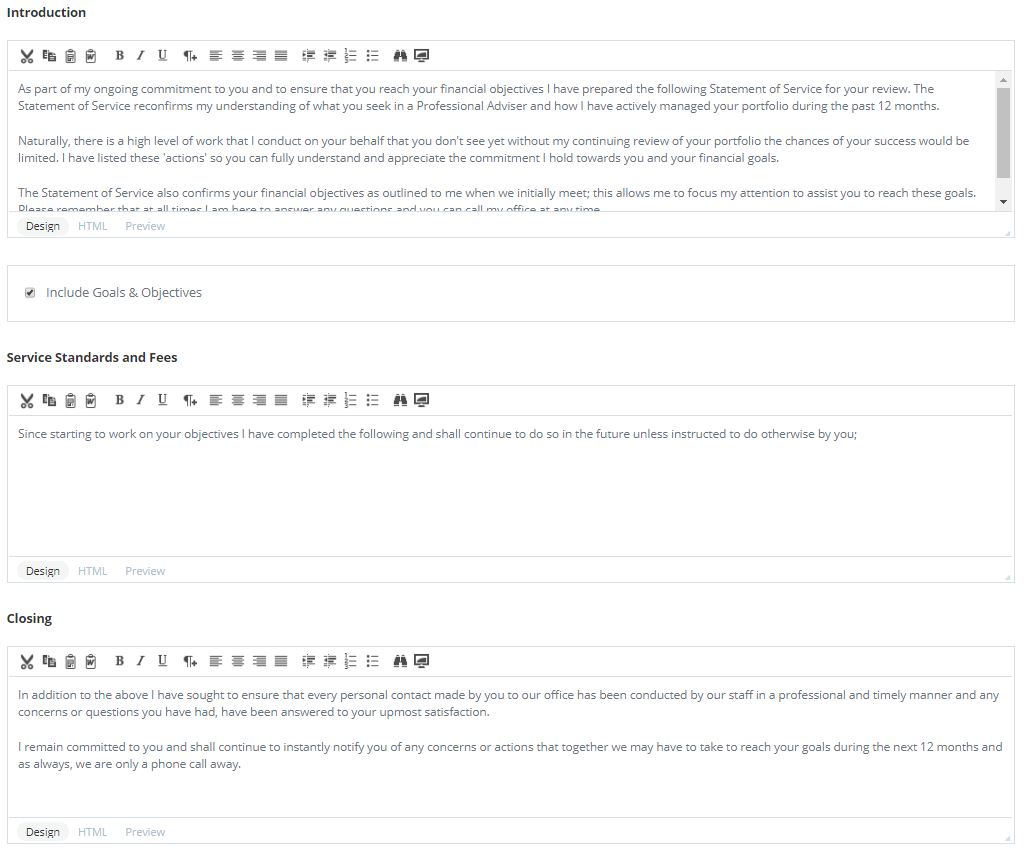
In the first screen you can decide to write a statement pre-amble together with reflecting on your clients
- Goals & Objectives
- Service standards and Fees statement
- Closing statement
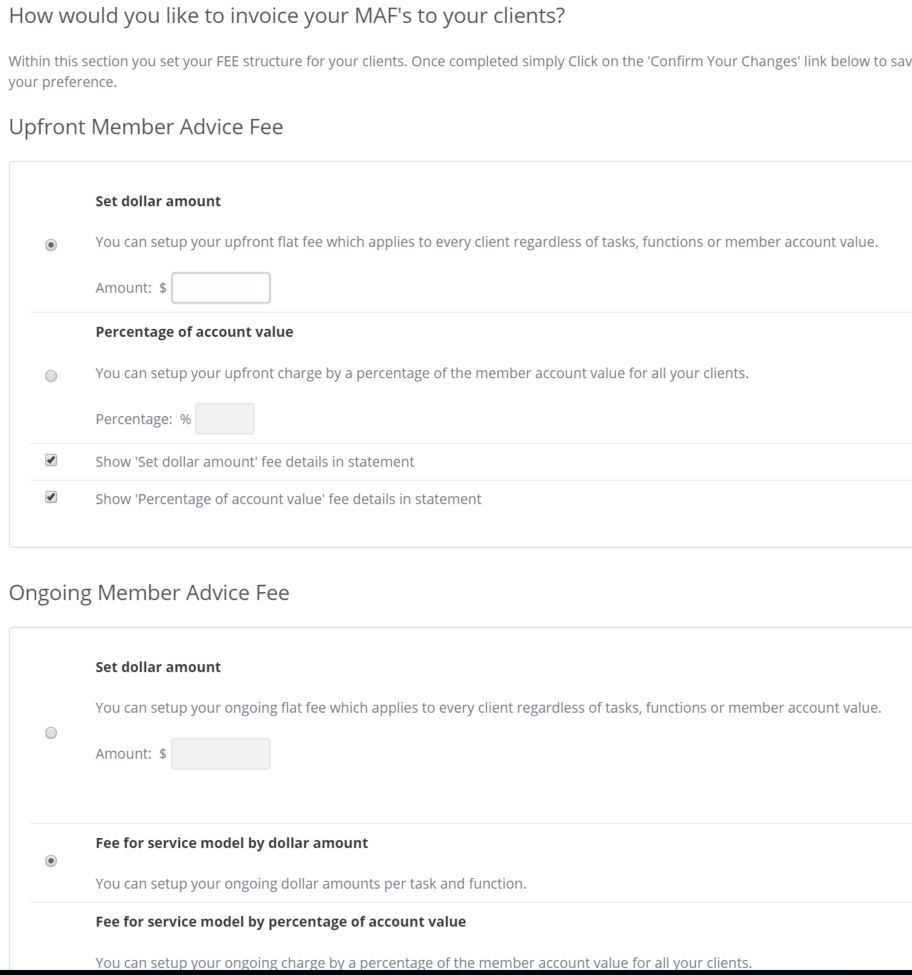
Moving to the next screen you have the ability to set-up your fees and outcomes for your MAF (Member Advice Fee)
This section offers you a range of fee types including the ability to combine % and fix rates for threshold positions.
The next tab (PSF) allows for the same outcome based on PSF module.
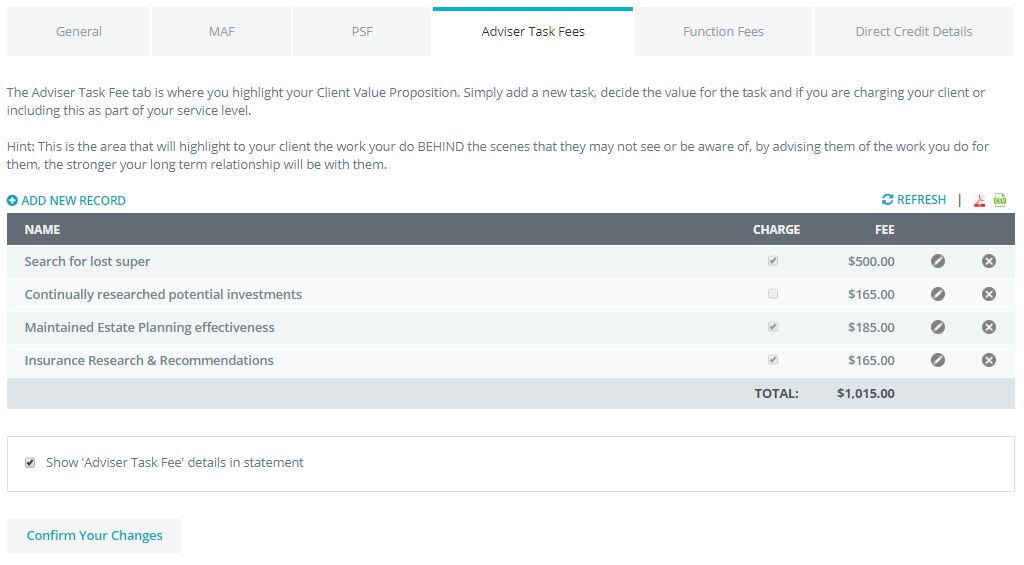
You can include adviser task fee's onto your FDS setup by selecting the Adviser Task Fees tab.
The Adviser Task Fee tab is where you highlight your Client Value Proposition. Simply add a new task, decide the value for the task and if you are charging your client or including this as part of your service level.
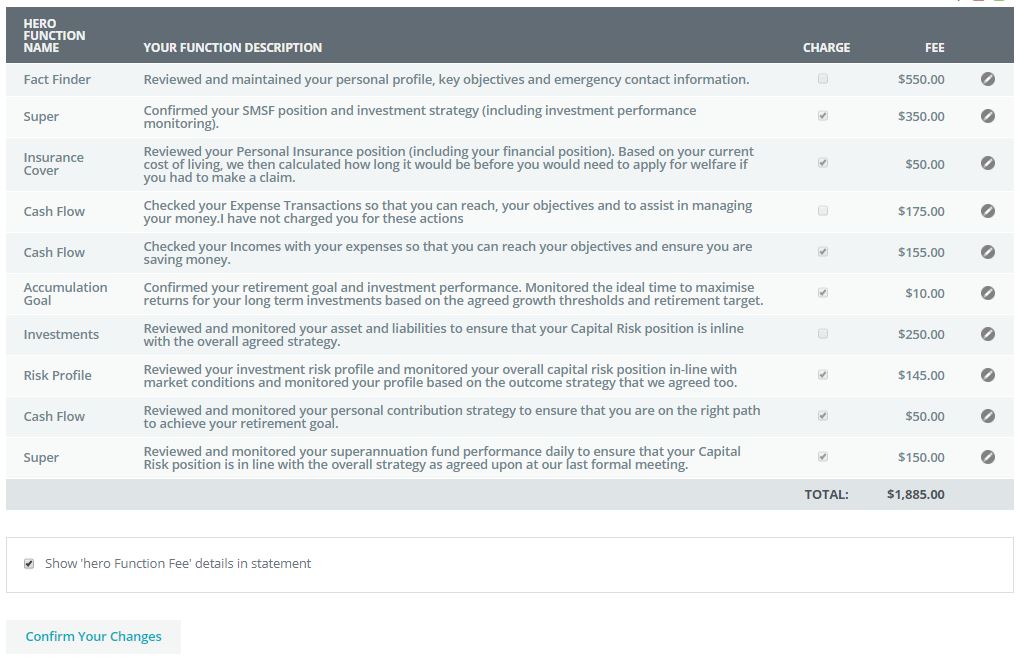
You can also include Function Fee's into your FDS setup, Each app within hero is designed to improve the interaction with your clients and as part of this strategy it tracks all actions and interactions to deliver true transparency of service to your clients. You have full edit features within this section, allowing you to describe each function as a function of your business. You also have the ability to include a fee for the task, including the charge or no-charge rate.
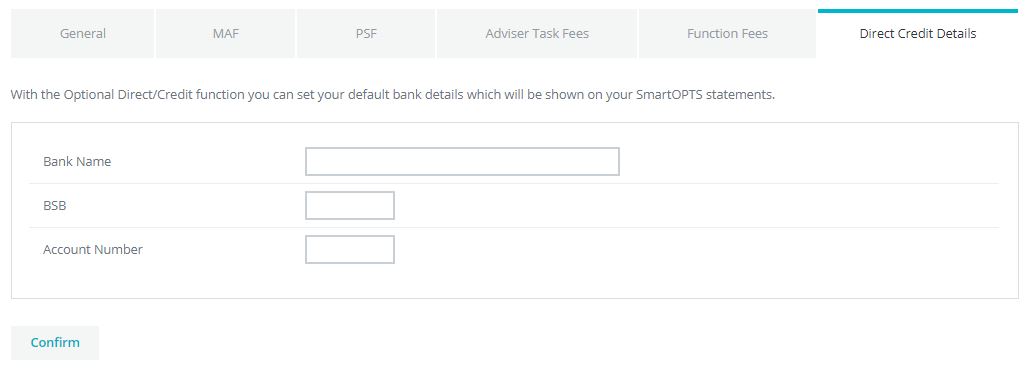
The last tab, Direct Credit Details is optional and is where you can include your direct credit details which will be shown on your Fee Disclosure Statements.
0 Comments