Within the system you have the ability to perform a Desk Top audit of the the Risk Providers used by the AFSL, Practice level and Adviser level.
To do this simply click on the Insurance Cover ICON within the My Apps section of your screen, you will now see a 'My Insurance Cover' page.
This page will list by provider ALL insurance types, number of policies, total sum of insurance and total annual premium amounts.
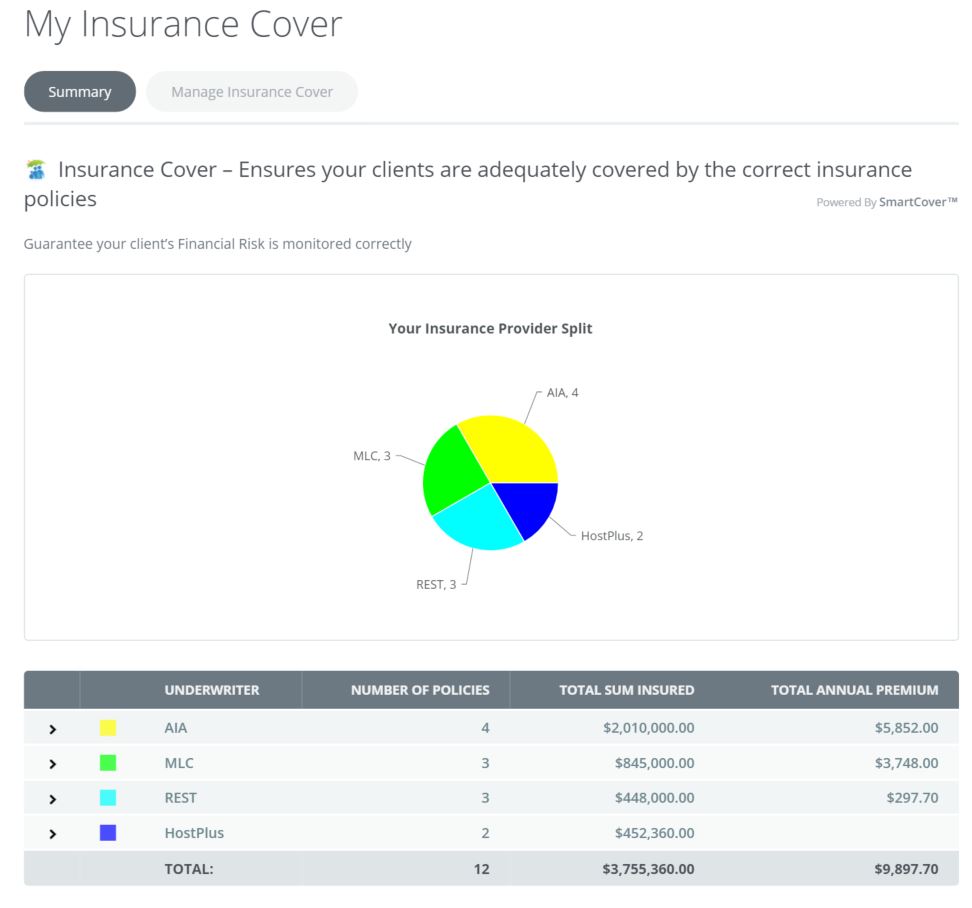
By drilling down by provider you can view the full client file and cover position, including history files, strategy changes and actions by AR/Staff?Client
0 Comments