If you desire to add images, pictures and graphs within your SOA document you must ensure that these files are stored on the internet so that the system can retrieve them at the time of publishing.
This is because the system is a CLOUD BASED solution, allowing you to access everything you need to work with from any location where you have internet access.
This means that unlike using a Word processor on your local computer and calling up the files from your hard drive you need to store them in the CLOUD so the system will talk to them.
These days the process for doing this is very simple and you have near thousands of companies online offering the service.
Some you pay for, some you don't.
We support all hosting company protocols so feel comfortable knowing that regardless of where you host or who you host with we can accommodate you.
Getting started.
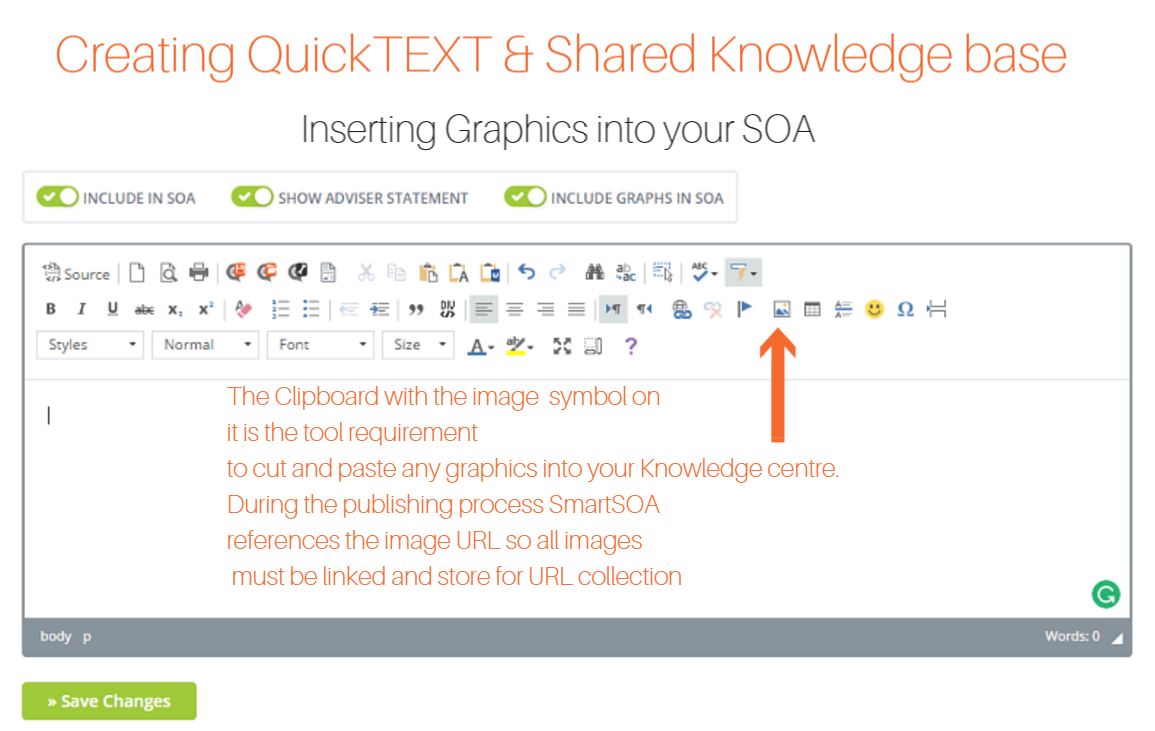
Once you have hosted your files in the cloud you need to click on the word processing editor.
Next simply click on the image symbol
Paste in your URL lick and hit confirm your image is now publishable
0 Comments