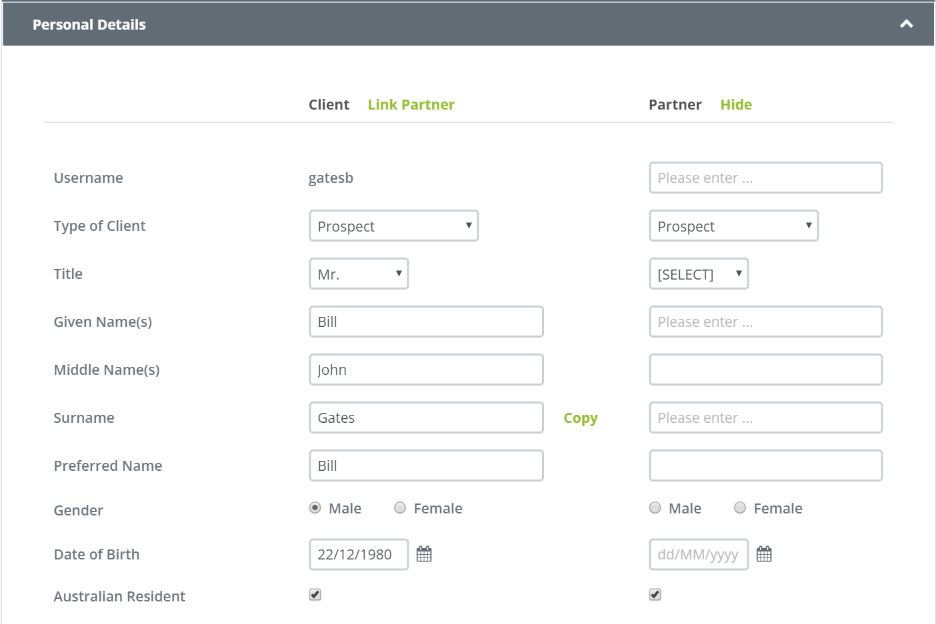
When you set up your Fact Finder you have the option of creating a file for a couple by simply clicking- Show Partner Tab within the Personal Details section of your Fact Finder.
If you have previously collected data on the partner and that information is contained within the system you can have both files instantly merged by clicking on the Tab - Link Clients.
If at any stage you wish to un-link your clients simply click on the Un-link option on the top of the client details screen.
When you do this, all client file notes, documents and communications that you have shared across both clients is regenerated as individual files.
If the clients are both new you can simply click the COPY hyperlink so the system will generate two files as one file option. This removes the need to retype data as you move from one partner to the next.
0 Comments