At the bottom of each section or App that you are using is a History Button.
This Tab provides a breakdown of actions that have occurred on that client file.
For example if you are in Retirement Goal section and you click on History you will see the following;
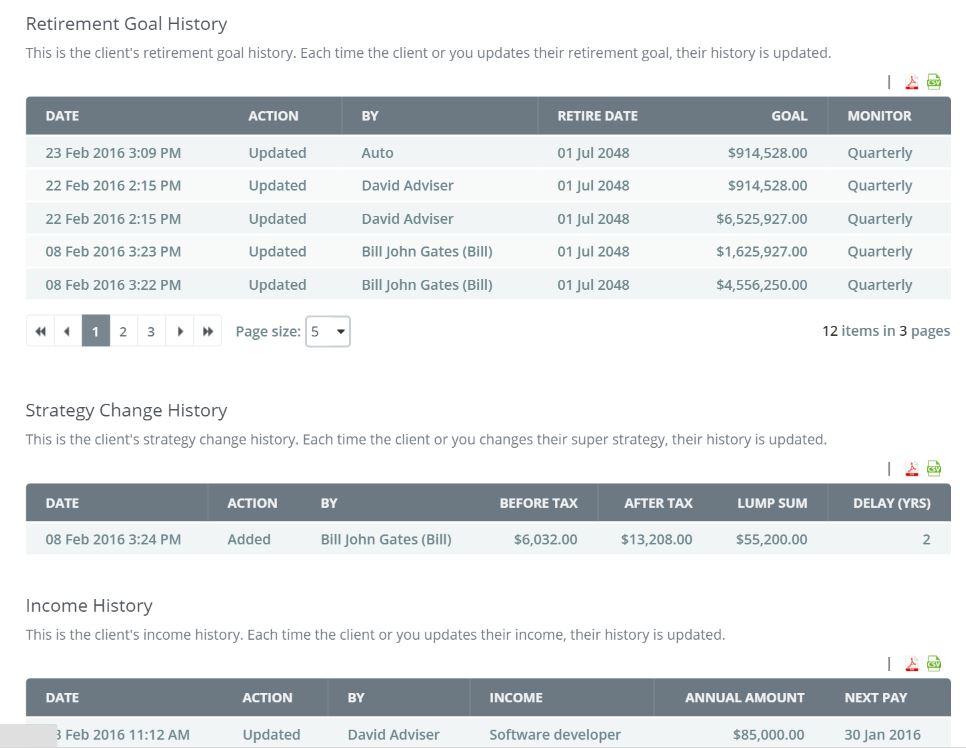
You will notice that is defines the action and who completed the action together with a date and time stamp indicator.
You will also note that the History file will show any over changes to a strategy that may have occurred.
0 Comments