The system has a range of CRM functions that have been designed to reflect the needs of an Adviser as opposed to a traditional CRM program.
Traditional CRM functions were designed for HIGH TRANSACTION workloads and clients, however, Advice is RELATIONSHIP management, management that comes from knowing where the client wishes to go, so we set out to define a new approach to CRM programming known as ICAM- Individual Client Account Management.
One word that you may have never heard - ICAM.
Passive & Active results

The Key Fundamental
You may not have heard this term before and wonder what it has to do in the world of advice solutions. ICAMS is part of the key processes that builds practice growth, reduces outflows, re-actives dormant clients, reduces your workload and increases client satisfaction and retention as sought by Advisers.
The phrase “Passive & Active” results pertains to the level of engagement that an Adviser wishes to offer the client.
Passive (as the word suggests) is whereby the Adviser retains all the results from the system and contacts the client directly to discuss each result, Active Results is where the information is shared and held as an ‘action’ feature to enable the client to act whilst the Adviser remains completely informed, compliant and motivated.
ICAMS is programmed to engage clients by identifying when a client’s financial needs change based on the key objectives set within the fact finder or SOA and achieves this both seamlessly and intuitively.
How did we come to understand these requirements?
We interviewed over 370 Advisers and 1500 of their clients to ascertain what would be the best approach to take when servicing clients; then we developed our Patent Pending technology over 4 years to ensure we developed what the industry desired…
Let’s look at each individual module that users ICAMS

Drilling down within the APPs
Understand Risk Insurance within a practice.
Here you can view a range of Insurance providers and drill down by percentage pf, to actual client usage.
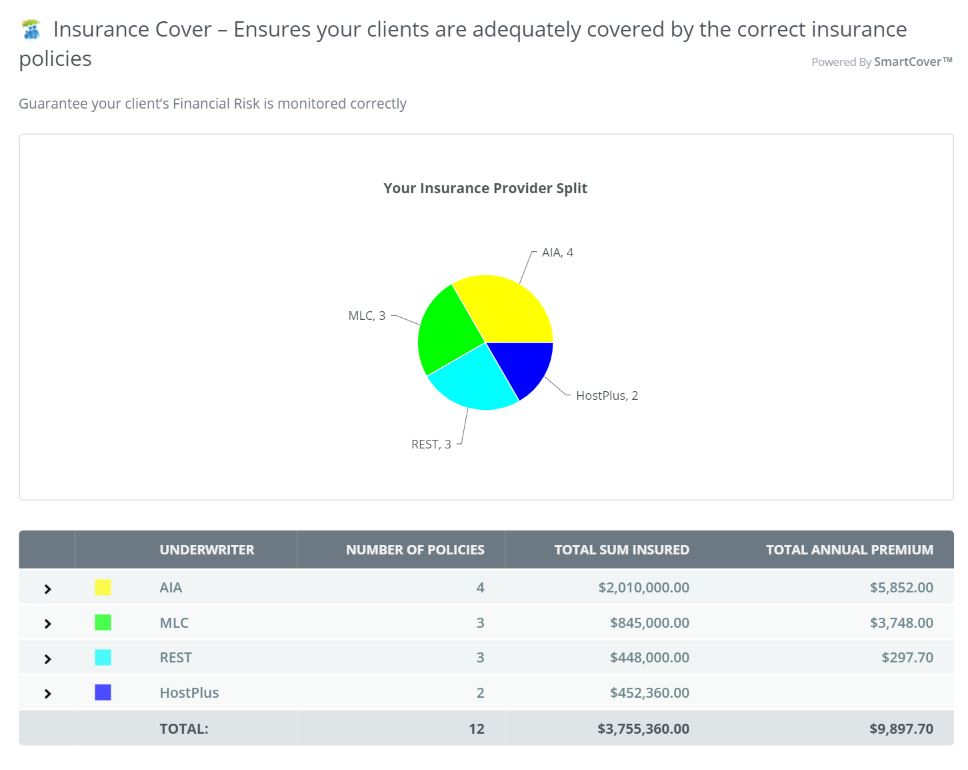
In the example above you can see who are the providers within your practice
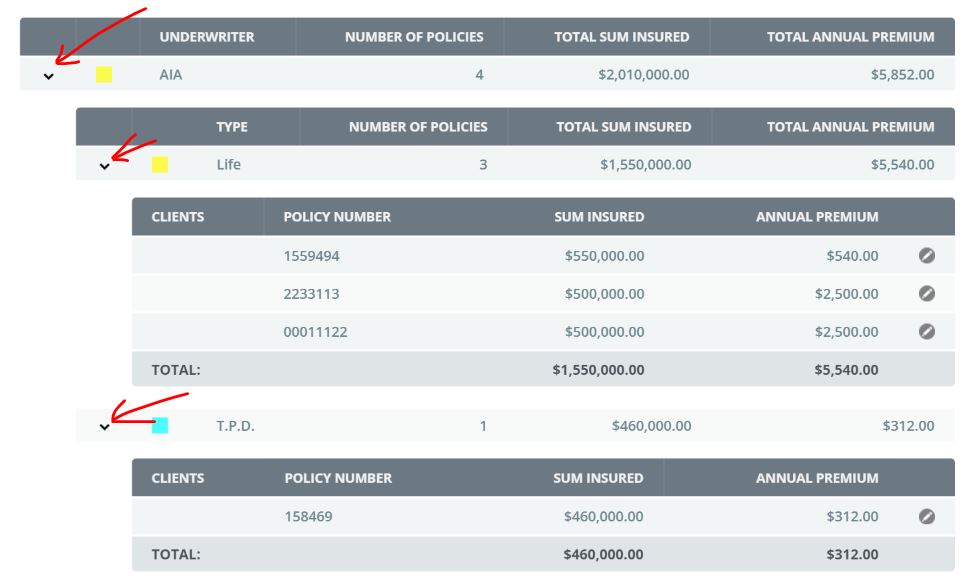
Above you can see from the above screen shot, simply by clicking on the arrow tabs you can continue to drill down all the way to the client level and into the clients active file.
Managing Super funds
Here the same concepts apply however you also receive a snapshot of the active fund performance rates.
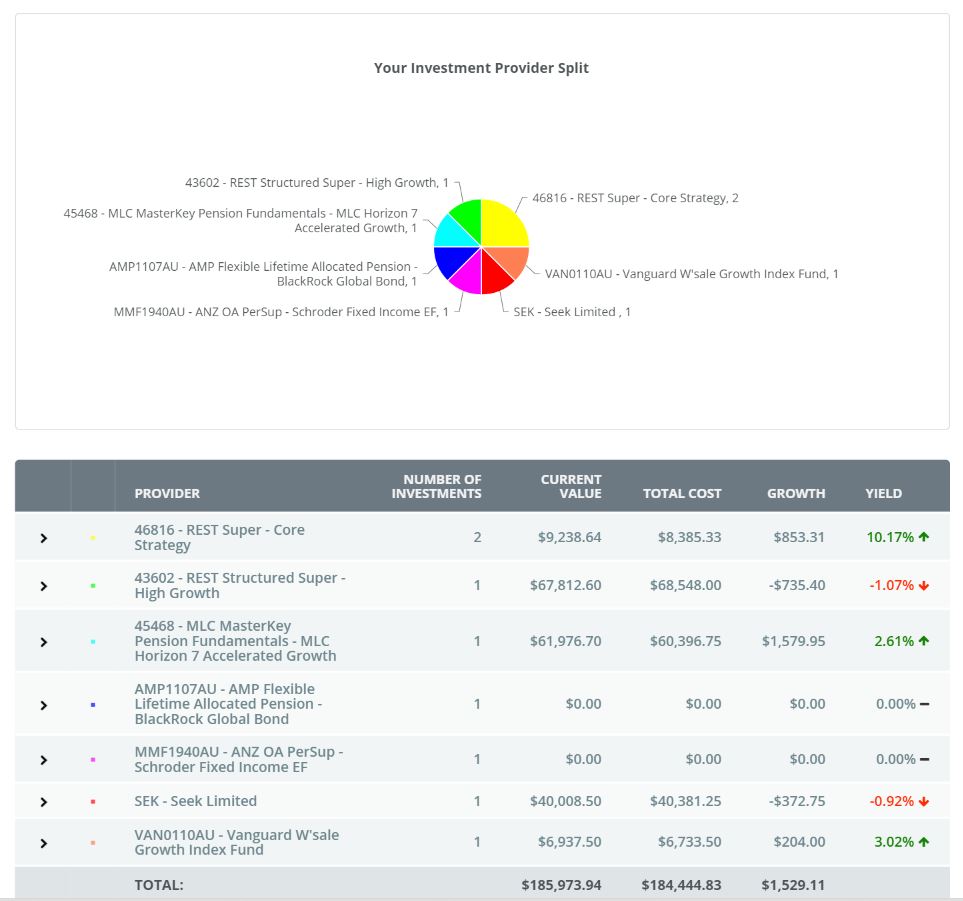
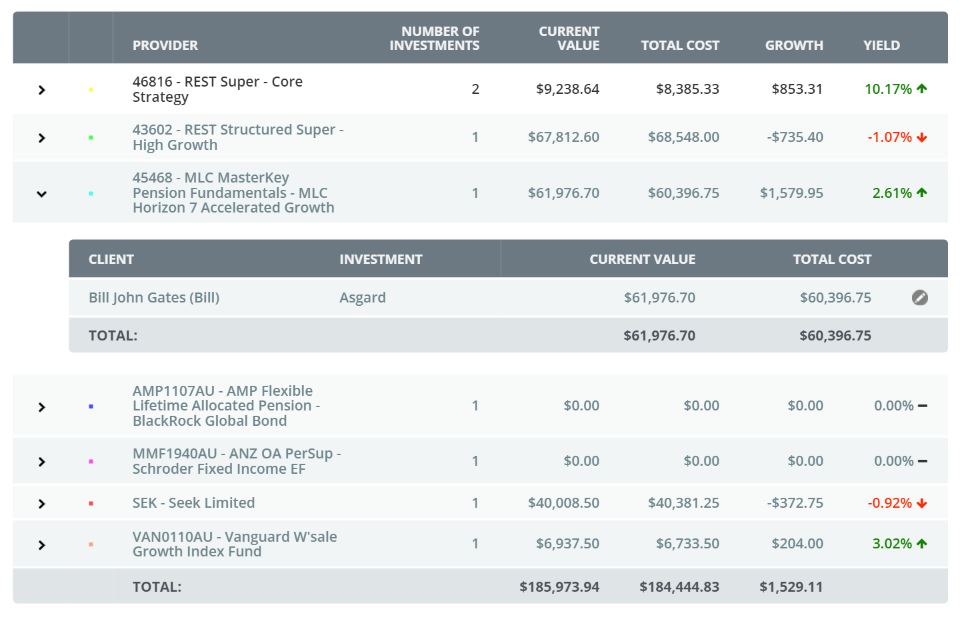
And again, by clicking on the edit ICON of the client field will take you directly to the clients active file.
0 Comments