In the case that you have a partner client arrangement, the system allows you the option of having two client file views- that is 'Individual files' or for more productivity you can elect one client to be the Main Contact (MC)
The function of MC is to allow you the ability to enter notes on one file and have those notes then shared on a 'as needed basis' without the need to retype or re-enter any data.
To activate this option simply click on the Edit pencil ICON beside the clients name within the clients file.
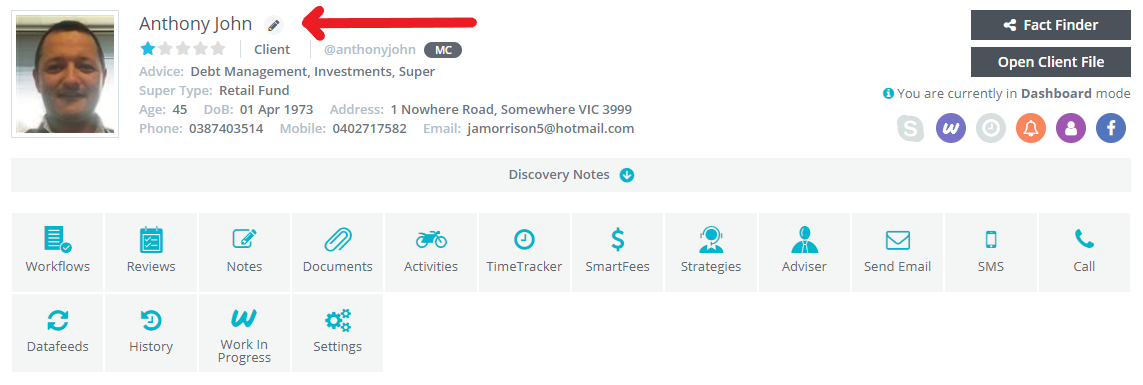
By clicking on the Edit pencil ICON you will see a tile open to display key client information.
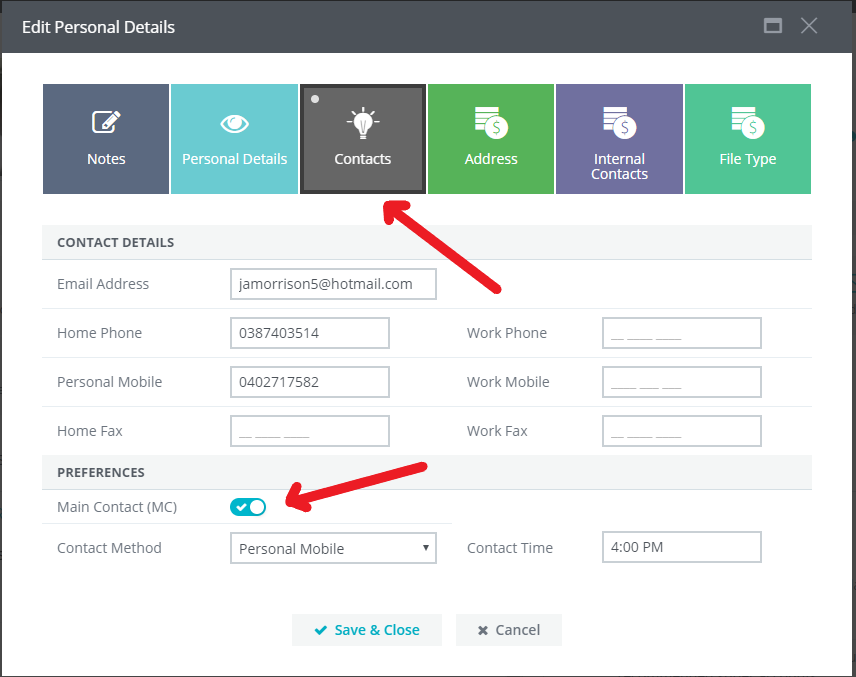
Next select the Contacts tile to display the clients contact information.
At the bottom of this screen towards the bottom left hand side is a toggle called Main Contact, click on this toggle and a Blue encased tick will appear, you have now made this file the Main Contact.
You can also set up the preferred contact method and preferred contact time.
When completed, select "Save & Close".
0 Comments