When you are ready you have to setup some key information on the modules and calculators that you will have access too.
There are three (3) key Apps that you have to setup so as to facilitate a clean data flow from your Fact Finder to the actual calculators.
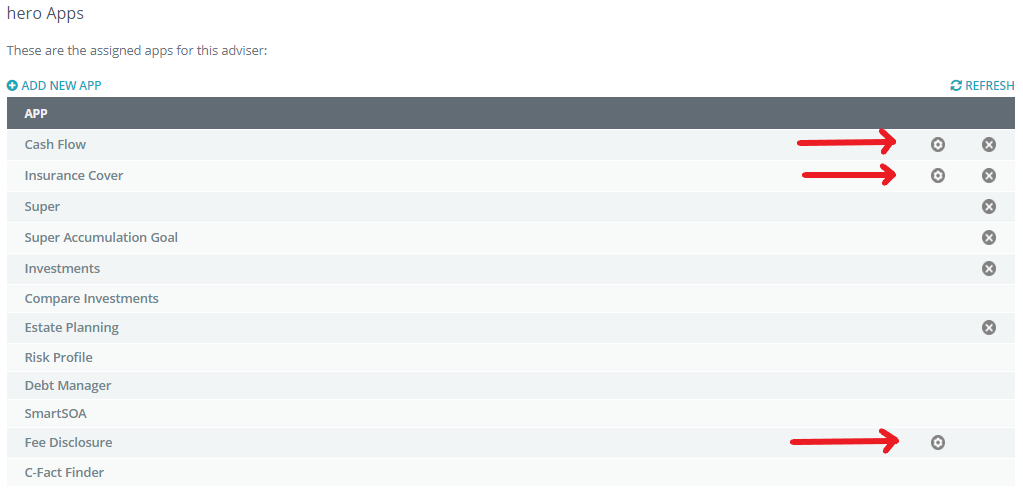
You will notice that Cash Flow, Insurance Cover and Fee Disclosure have a Set-up ICON next to them, this is the ICON that you will click to set up each App.
Set-up Cash Flow
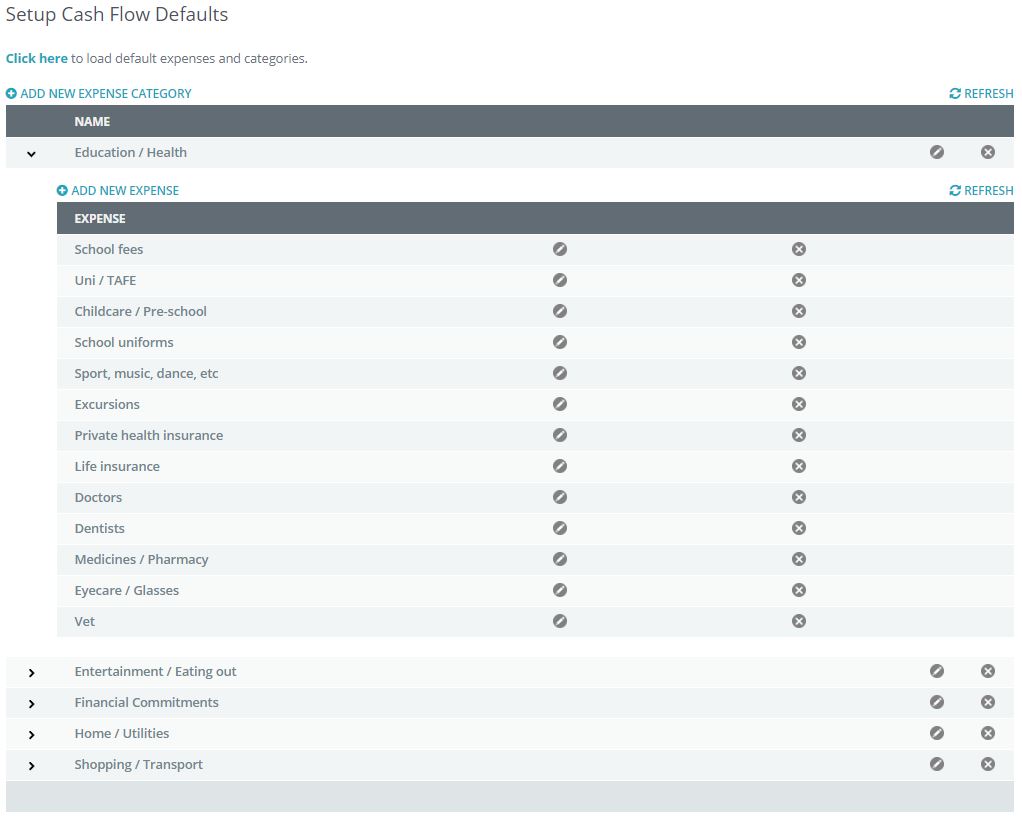
When you click on the set-up ICON it takes you to the Budget structure page, this is where you can list, create or use the default budget topics for your client.
Example:
Insurance Set-up
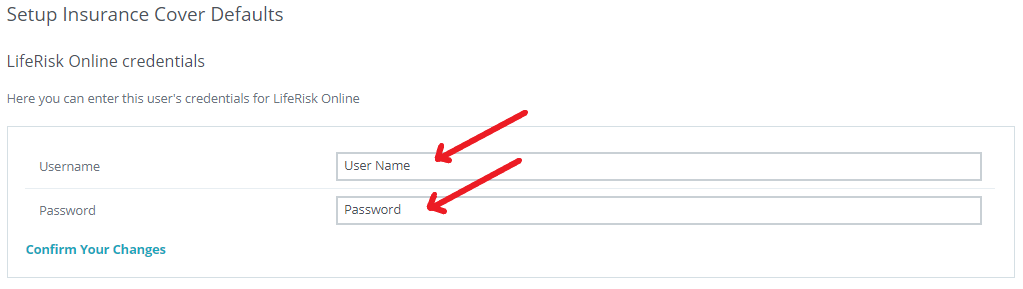
When you click on the set-up ICON it takes you to the page to lock in your User name and Password for your Quick Quote Insurance capabilities of the system.
Fee Disclosure Statement
When you click on the set-up ICON it takes you to set-up page on how your Fee Disclosure Statements will be presented to your clients.
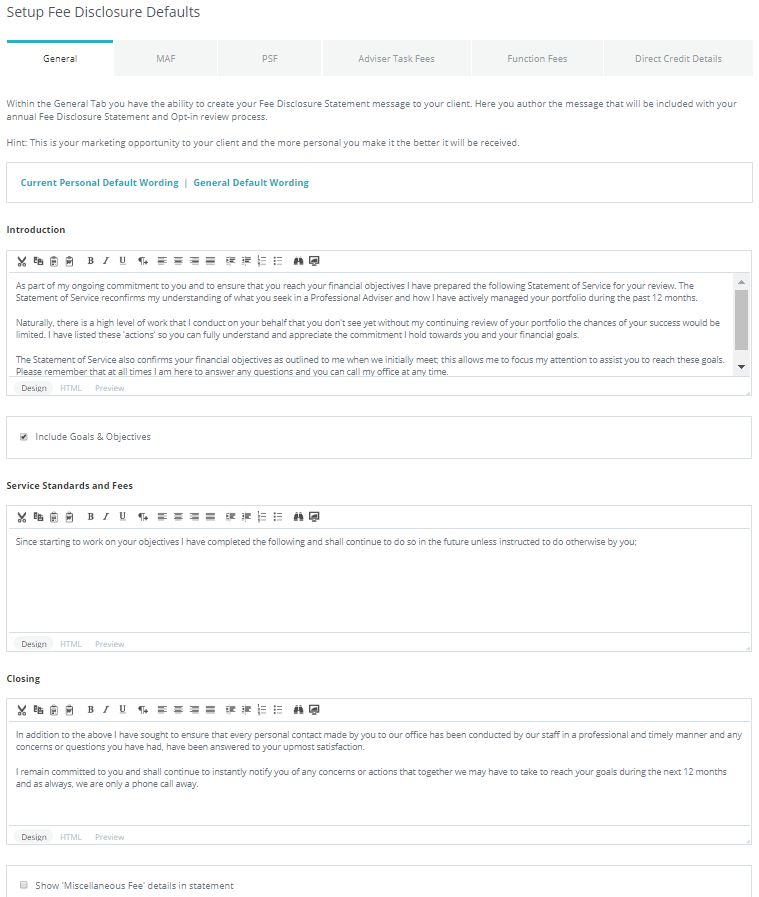
To learn more about setting up your Fee Disclosure Statement visit the How To section in this Help Portal.
Note: You can individually assign modules and Apps to individual clients.
0 Comments