We have redesigned the fact finder process and layout to make the system even easier and more intuitive than before.
Gone is the Portrait version layout in favour of a Landscape layout.
We have also redesigned the look and feel to reflect a more intuitive user experience by moving to a Point and Click process with the ability to save at anytime the level of data you have entered and return to complete or leave it as it is.
We have moved the goal post on Financial Objectives and Basis for Advice modeling by allowing both Individual, Couple and Combined linking in order to create the Financial Objectives and the Basis for Advice.

Simply click on the Tab that you wish to collect data on.
We have also changed the way that you add a new client, making it faster and more productive.
Now you simply click on Add New Client, complete the details and it will automatically be populated into your fact finder.
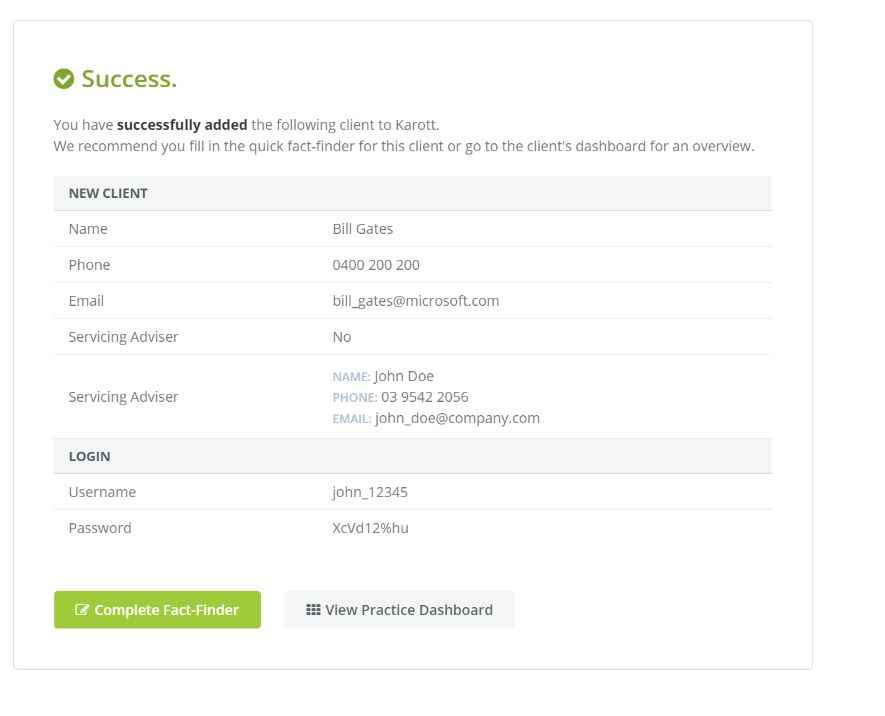
At any stage you can either complete the Fact Finder or return to your Practice Dashboard
0 Comments