CUSTOMIZABLE TEMPLATES MADE EASY.
Tailor automated workflows to your practice.
Name your workflow and create custom templates. It can be a sequential workflow or a checklist that gets completed.
Editing and coworker commenting allow collaborative flexibility to get work done with ease.
Simply click on Manage Workflow when you are using the workflow app, you can even be in the clients view.
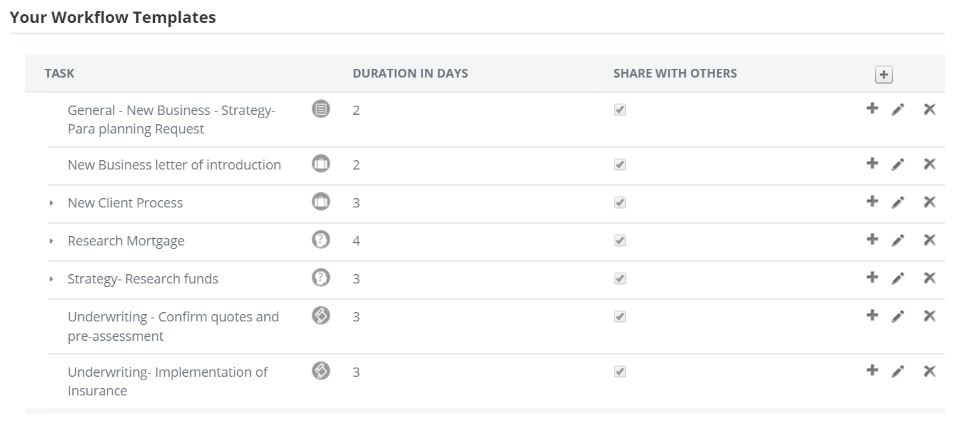
Next you will see all the workflow templates that you have created or had created for you.
Next click on the add ICON +

Next you will see an edit box appear, this is where you customize the template, give the task a name, duration, full description on why it needs to be done and elect to share it and have the outcome automatically go into client file notes.
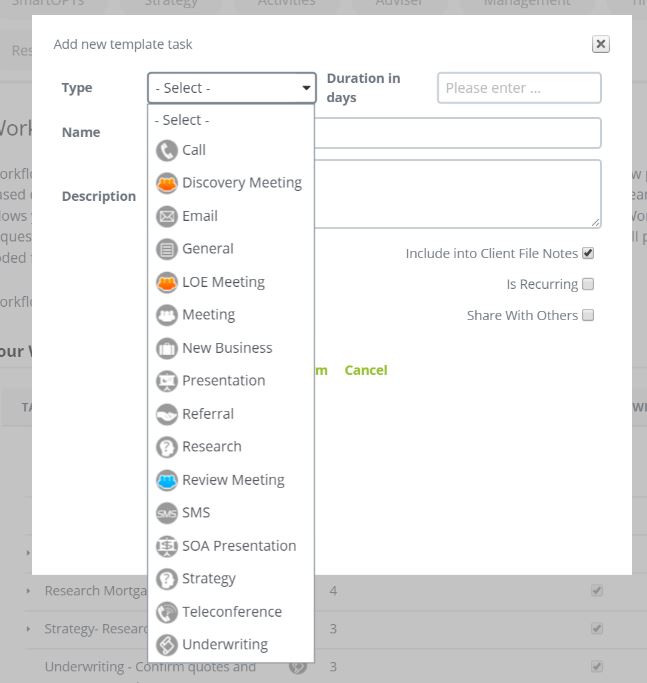
Next click on save and it is stored as part of your Workflow templates you are now ready to start using it.
Below is a snapshot of what your workflows can look like.
0 Comments