In creating a Superannuation fund that you wish to manage, monitor and examine you need to give the system three key information sets across these stages.
1. The Name of the Fund - for example your client may be with Rest Super
2. You need to advise the system of the underlining investments within the fund
3. The total balance and the splits between funds if there is more than one fund
Setting up stage 1.
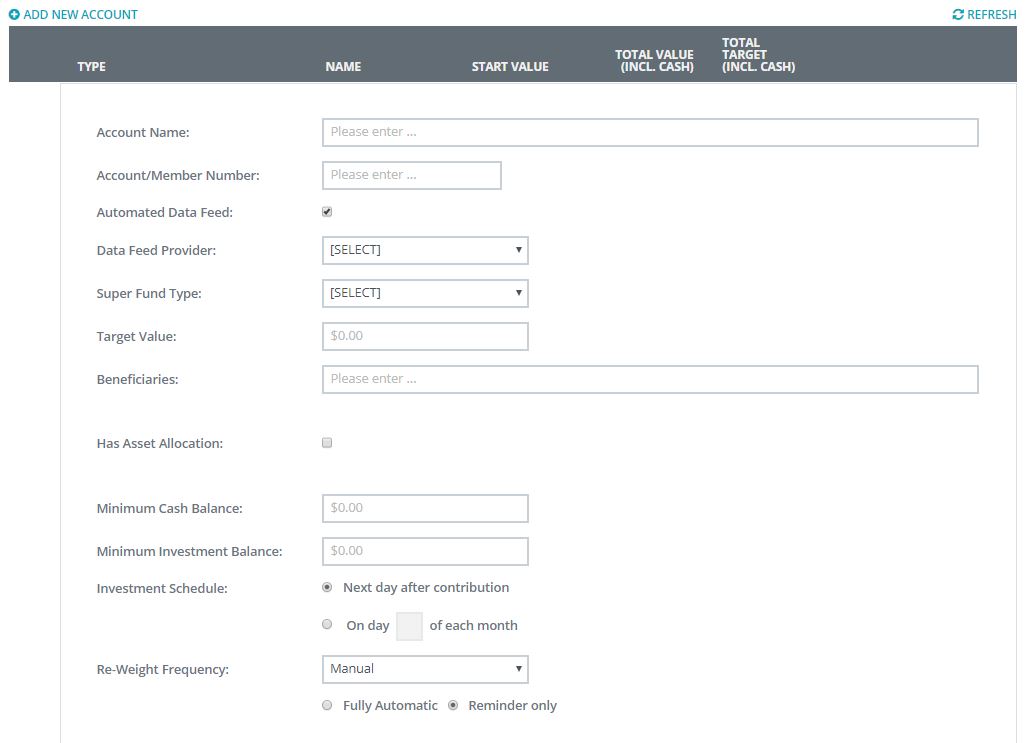
Stage one is giving the fund a name and setting up the rules of the fund. This option allows you to set up the following:
Click on the Manage Super fund tab within the 'Super App'
Next, click on 'Add New Account'
Next, chose investment type, for example SMSF or Super Account.
Next, you need to set up the rules of the fund as outlined below (note that the fields are optional)
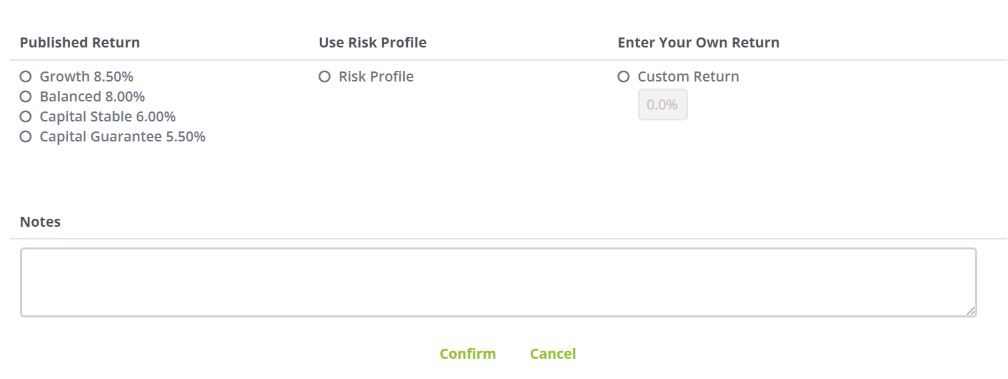
Next within this same screen is the forecasting model you wish to use for this fund, this data is then used as part of the monitoring and management of the Superfund.
0 Comments