Submitting SOA Requests - Step By Step Guide
Before you submit your SOA request, there are some minimum requirements.
Below is a step by step guide to help you ensure all available information has been included and uploaded to your client file before submitting your SOA request.
The Hero360 team will review your client(s) file to ensure we have a complete picture of your client(s) financial position and ensure any research is in the best interest of your client(s) before we start writing your client(s) SOA.
The Hero360 team shall complete your client(s) SOA document within 7 days from the date that the Hero360 Advice Analyst accepts and confirms all relevant information has been received prior to the commencement of your SOA request.
Create Your Client File
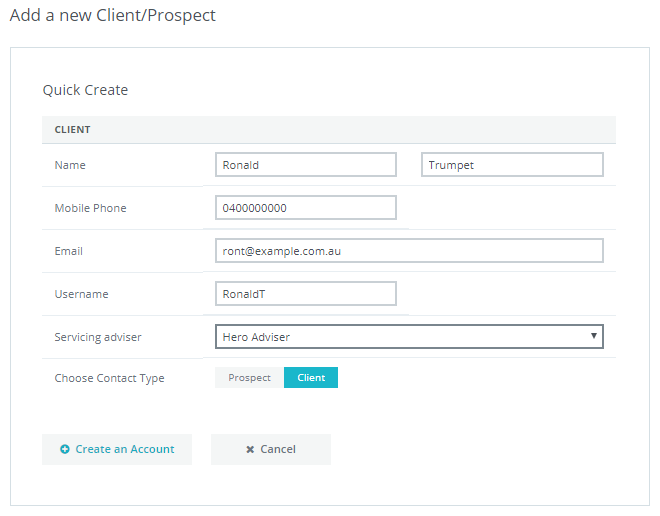
Enter Your Discovery Notes
The Hero360 Advice Analyst will review your Discovery notes to ensure they know as much as you do about your client(s) before accepting your client SOA request.
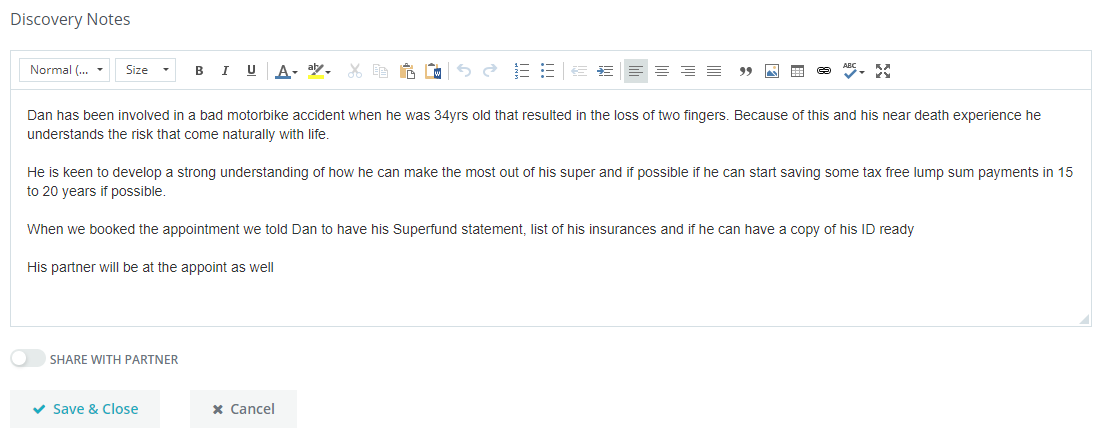
Complete the Fact Finder
Complete the Hero360 Express Fact Finder and upload a copy of your client(s) completed fact finder document to the client(s) documents section. Ensure you include all relevant financial information for your client.
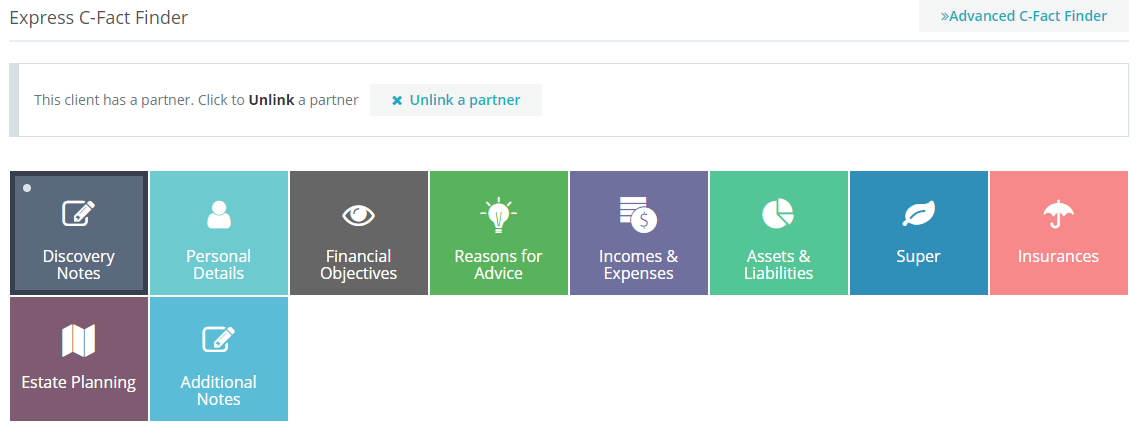
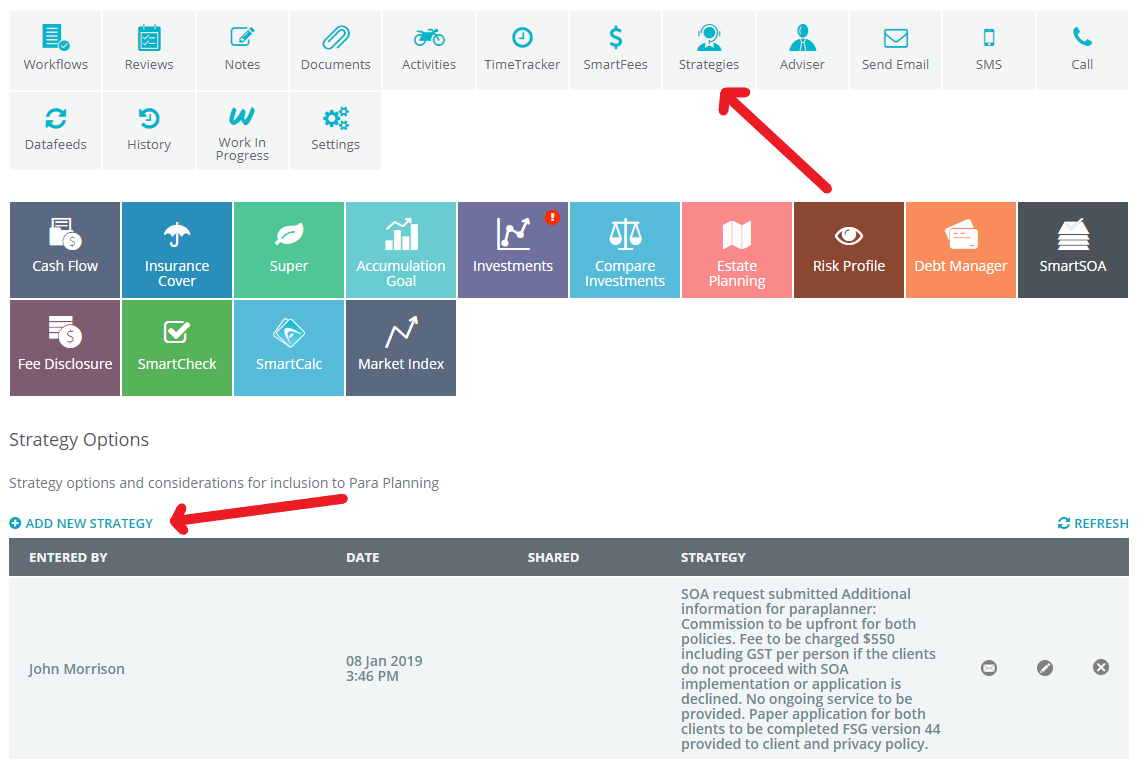
Add Strategy Notes
Add your strategy & recommendation notes and include any relevant provider login and password details.
For any research and implementation requirements, add clear requirements and instructions.
In The Documents Section
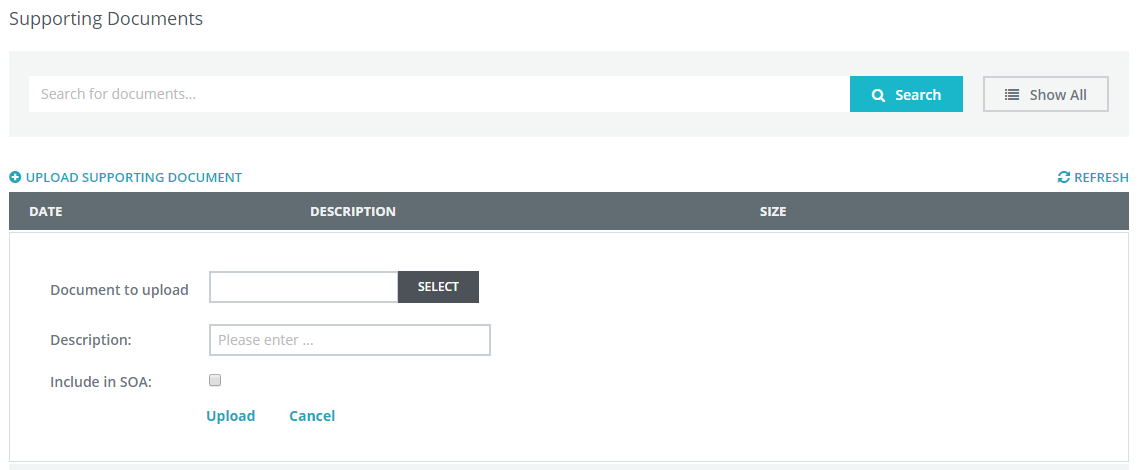
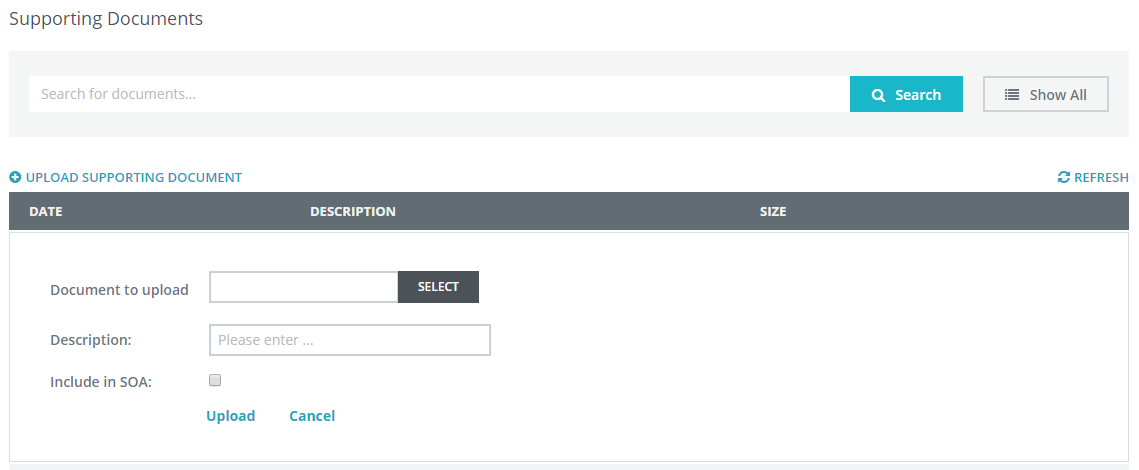
Please upload a copy of your clients signed fact find document, including Super, Insurance & Investment statements if available.
Upload a copy of your clients signed Letter of Authority (LOA) (Ensure the LOA includes the wording of "and staff" so the Hero360 team can access your clients information when contacting providers on your behalf.
Upload a copy of any completed/relevant research documentation including tables and charts.
Upload a copy of your most recent Fee disclosure Statement (FDS) issued.
Tell Us The Risk Profile
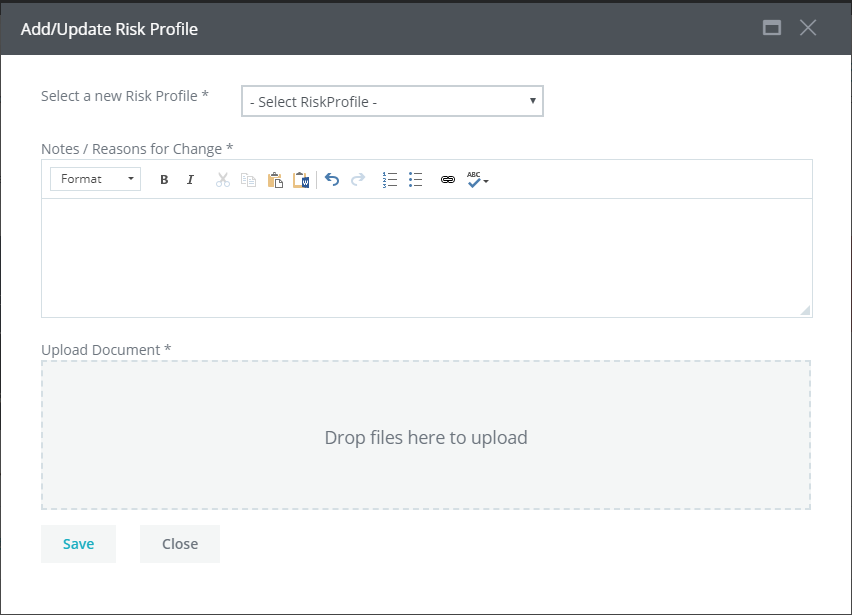
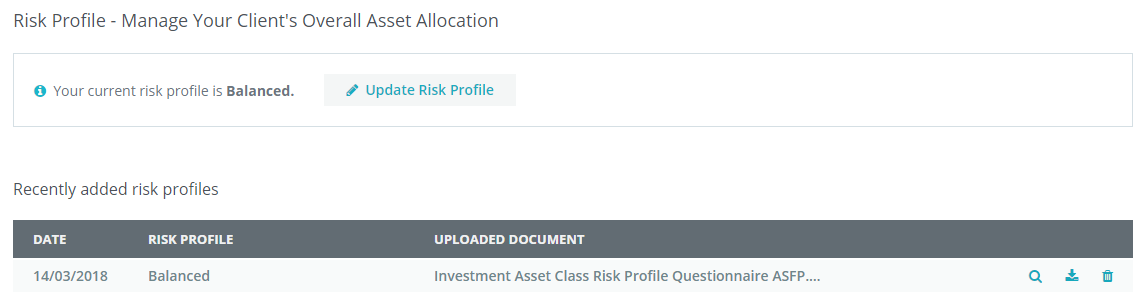
Check and update (If required) your clients Risk Profile. Within the Risk Profile App, please upload a copy of your dealer group Risk Profile document if not already completed.
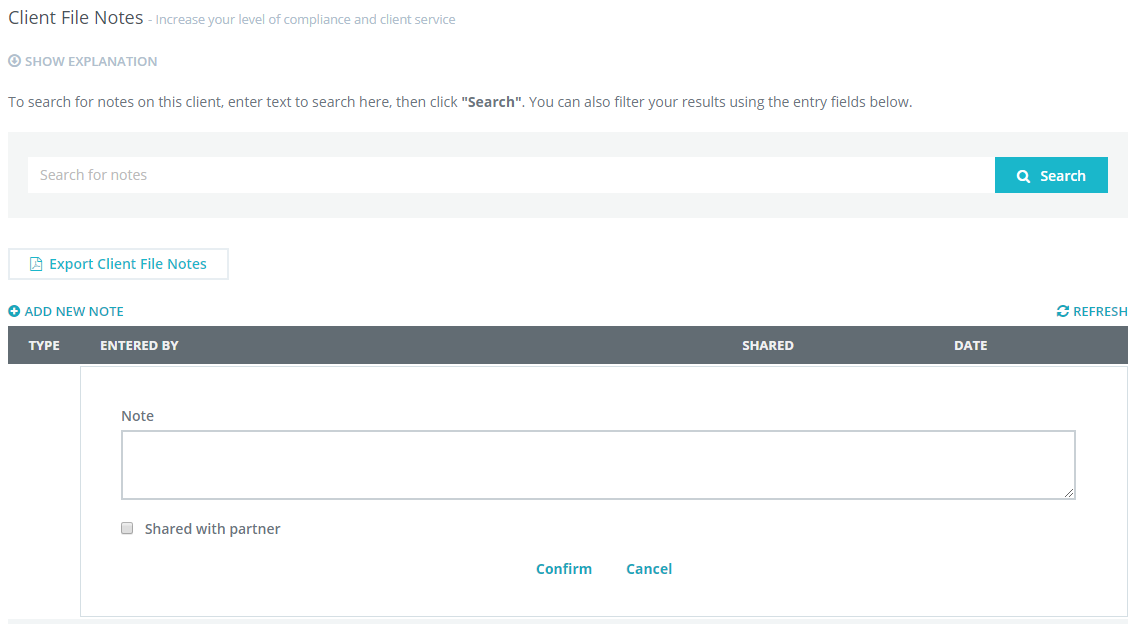
Use The Client File Notes
This is how we understand what you and your client relationship is about.
Add additional notes to the clients Notes section where appropriate.

Smart SOA App
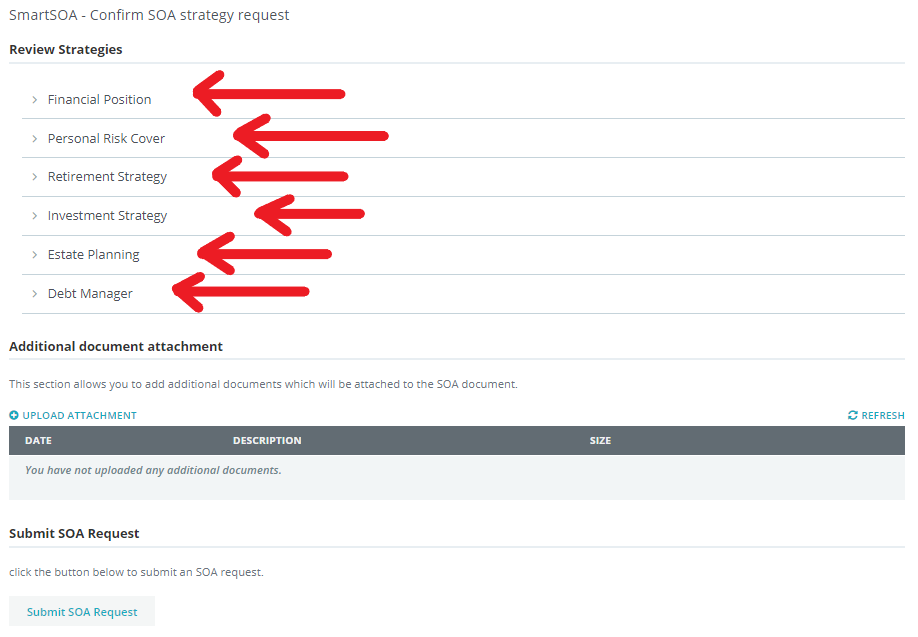
Complete the SOA Review Strategy Notes & Questions for each relevant heading. Upload a copy of any additional documents relevant to the SOA request.
Submit the SOA Request
When you are satisfied all necessary information is entered and documents uploaded to your client file within Hero360, select the Submit SOA Request button.

If the Hero360 team have any questions regarding your SOA request, your account manager will contact you for clarification. If you add any additional information or documentation to the client file after submitting your SOA request, please call your Hero360 account manager.
0 Comments